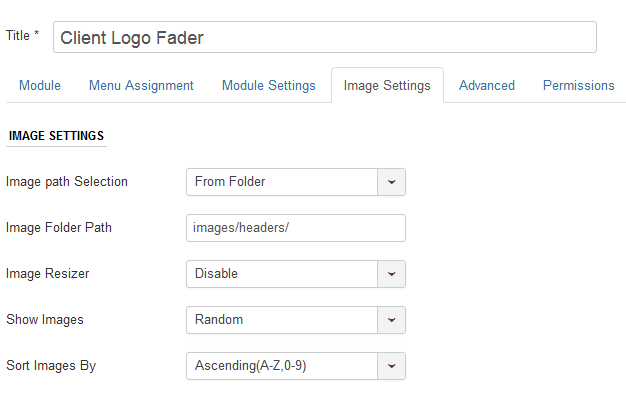
Image Path Selection : You can either fetch the image from a folder or individual path by adding slides.
Image Folder Path : Mention the folder path from which the images will fetch. Example : images/faderimages/. The module will fetch images from faderimages folder which is inside the joomla images folder.
Image Resizer : Option to Enable or Disable Image Resizer. If your images are of larger size and you want to resize to smaller size then set the option to Enable.
Resize Image By : When the Image Resizer Option is set to Enabled, this parameter can be managed. You can resize the image by height, width or both.
Image Height : Mention the height of the image in pixels. Ex : 300 which means 300px. Don't use px in the module parameters.
Image Width: Mention the width of the image in pixels. Ex : 400 which means 400px. Don't use px in the module parameters.
Show Images : You can show the images randomly or sequentially.
Sort Image By : If the Show image option it set to sequential, then you can set the images by ascending or descending order.