Styling Settings
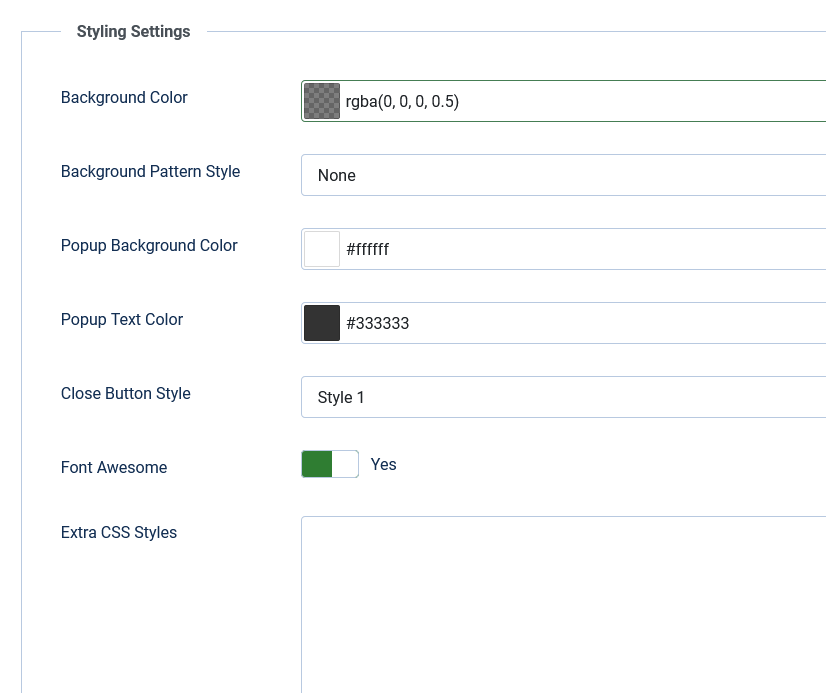
Popup styling is global for the whole site. Individual popups can still use custom dimensions and classes via shortcode attributes.
- Popup Theme: Modern (2026) — blur overlay, rounded panel, coordinated animations. Classic (Legacy) — original Fancybox look with pattern backgrounds and image close buttons.
- Background Color: Overlay dim colour using the colour picker (RGBA supported).
- Background Pattern Style: Classic theme only — choose from 10 predefined patterns, or None.
- Popup Background Color: Background colour inside the popup panel.
- Popup Text Color: Text colour inside the popup panel.
- Close Button Style: Classic theme only — choose from 10 predefined close button images.
- Font Awesome: Set to Yes if you use icons on triggers or image overlays and Font Awesome is not already loaded by your template.
- Extra CSS Styles: Add custom CSS rules for triggers or popups.
Modern-theme options (width, blur, accent colour, close button, ibtn styling) are in the Modern Popup Design tab.