General Settings
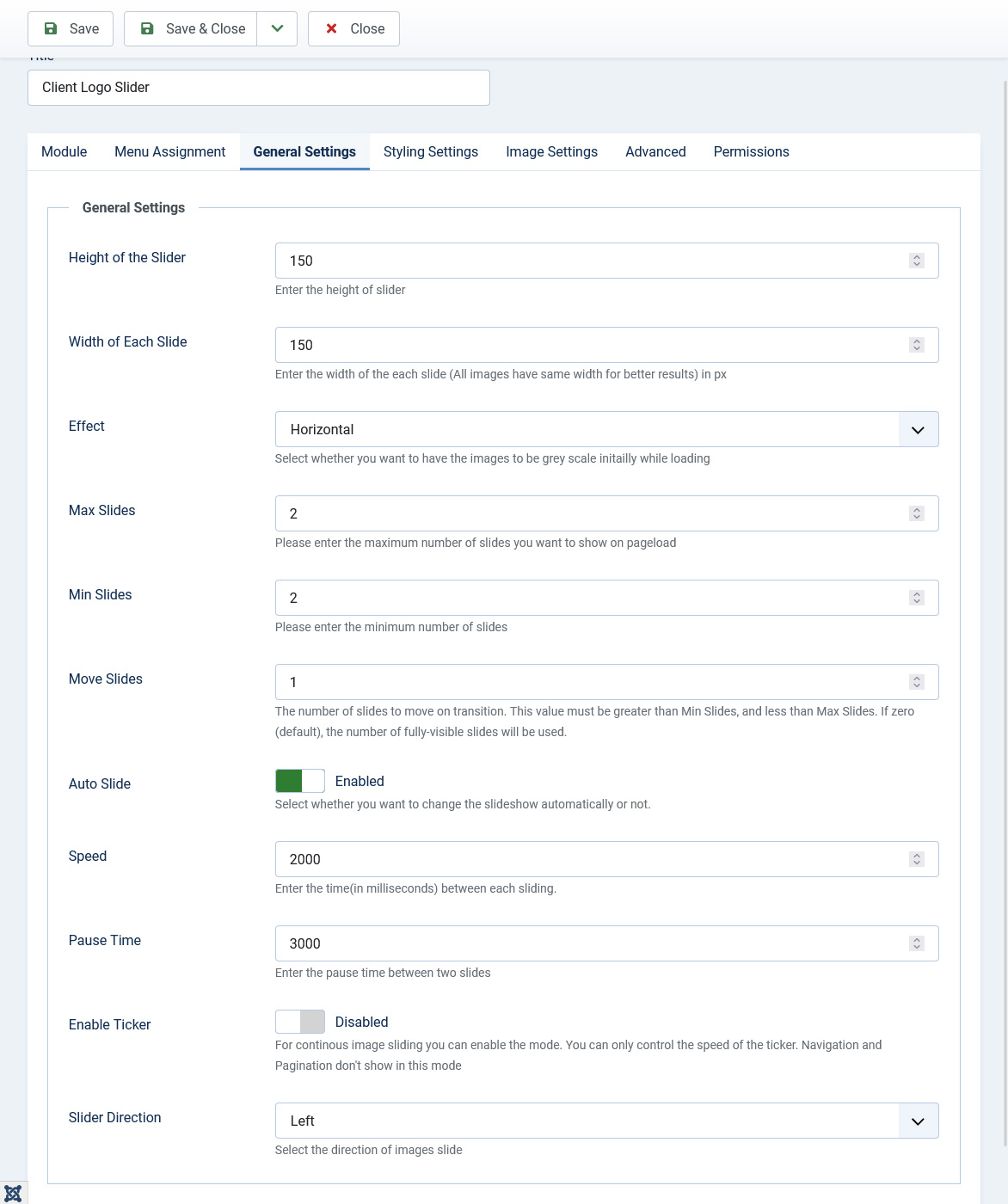
In general settings tab you can set the dimension, speed, effect and other directional settings.
- Height of the Slider : Set the height of the slider in pixels. Ex: 150. Don't mention px in the textbox.
- Width of Each Slide : Set the width of each slide in pixels. All the slides will be of same size. Ex : 200.
- Effect: You can set the effect of the slider to Horizontal, Vertical or None. If set to None, all the images will show without any effect.
- Max Slides : The maximum number of slide which which you want to show on a desktop at once.
- Min Slides : The minimum number of slide which you would like to show on a mobile device.
- Move Slides : The number of slides to move on transition. This value must be greater than Min Slides, and less than Max Slides. If zero (default), the number of fully-visible slides will be used.
- Auto Slide : Set auto slide to enabled if you want the images of the slider to slide automatically.
- Speed : Enter the time between each sliding. The time has to be in milliseconds. Ex : 2000 which means 2 seconds.
- Pause Time : Set the pause time between two slides.
- Enable Ticker : Option to change the sliding mode to ticker mode. For continuous image sliding you can enable the mode. You can only control the speed of the ticker. Navigation and Pagination don't show in this mode