Image Settings
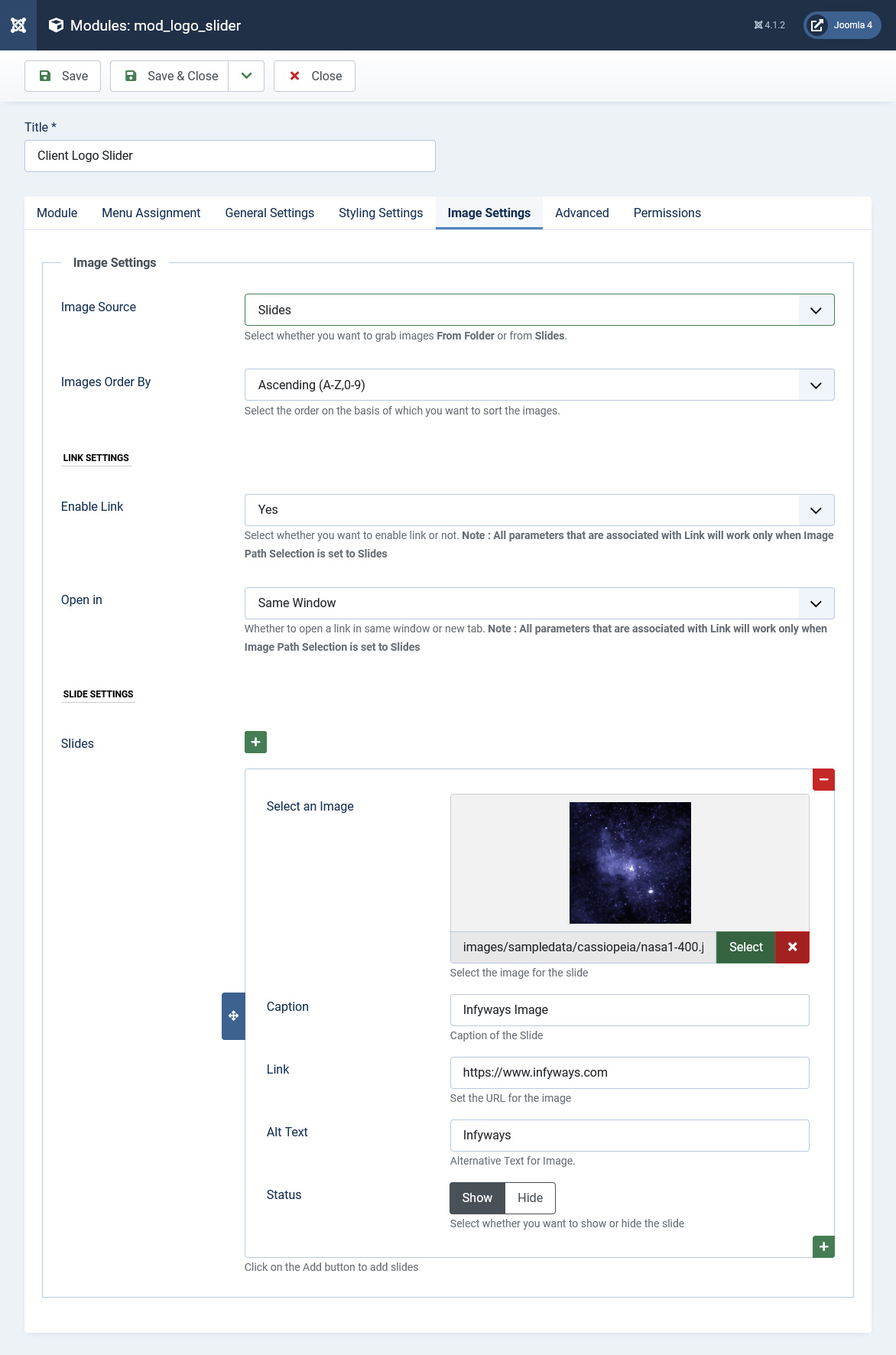
In the Image Settings Tab, images of the slider, caption/label, Alternative text and URL can be set. Images for the slides can also be fetched from a folder.
- Image Source : Select the image source of the slider. Set to Slides if you want to use label and url for each slide.
- Image Folder Path: You can set a path to fetch images for the slider. Ex: images/slides/
- Show Images : Option to show images sequentially of randomly in the slider.
- Sort Images By : Option to sort images in ascending or descending order by image name.
- Enable Link : Option to enable or disbale URL/Link.
- Open in : Option to open the URL in a new tab or same when a slide is clicked.
Slide Settings
To add an new slide click on the + button. On clicking the + button you will find the following options. Keep on repeating the process for any number of slides.
Select an Image : Select the image from the media manager which you would like to show in the slider.
Alt Text : Set the alternative text for the image. Fill the textbox for good SEO results.
Caption : Set the caption or label of the image which you would like to show. Leave it blank if you don't want any caption or label
URL: Set the URL for each slide. Leave it blank if you don't want to link the slide.