Component Category Setup
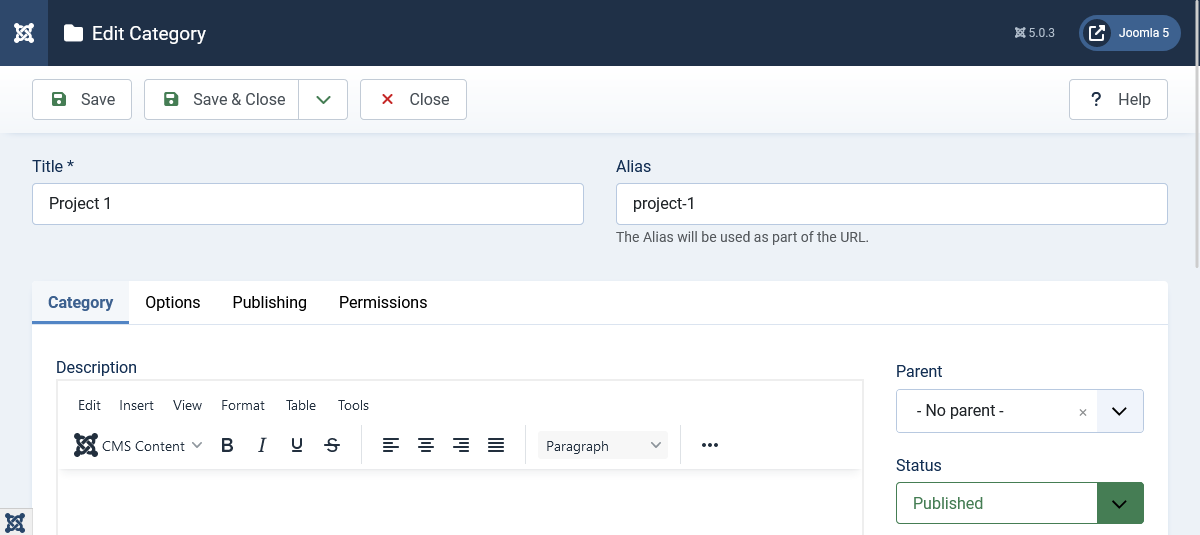
Before you can add testimonials, you must create at least one category. Categories help you organize testimonials by topic, product, service, or any other classification you prefer.
Creating Your First Category
-
Navigate to Components > Responsive Testimonials Pro > Testimonials Category in your Joomla dashboard.
-
Click the New button in the top left corner.
-
On the category form, you'll see several fields:
- Title: Enter a name for your category (e.g., "Product Reviews", "Service Testimonials", "Customer Feedback"). This is the only required field.
- Alias: This is auto-generated from the title, but you can customize it if needed. Used in URLs.
- Description: Optional. Add a description of what this category is for.
- Parent: Optional. If you want nested categories, select a parent category here.
- Status: Set to "Published" to make the category active, or "Unpublished" to hide it temporarily.
-
Click Save or Save & Close to create the category.
Creating Multiple Categories
You can create as many categories as you need. For example:
- Product Reviews
- Service Testimonials
- Client Feedback
- Partner Testimonials
Each testimonial can be assigned to one or more categories, giving you flexibility in organization and display.
Managing Categories
From the category list page, you can:
- Edit categories by clicking on the category name
- Publish/Unpublish categories using the status toggle
- Delete categories (only if no testimonials are assigned to them)
- Reorder categories using the ordering column