Installation
Downloading the Extension
Email: After you purchase the extension from our store, you will receive an email containing a link to download the extension.
Store: Alternatively, you can download the extension from the "Downloads" section in our store. If you are a new user, you need to create an account using the same email address you used for the purchase.
Click to download the extension package: CameraImageSlideshow_UNZIP.zip
Unzipping the Package
Use any file unzipper tool or WinRAR to unzip the CameraImageSlideshow_UNZIP.zip package. After unzipping, you will find the following contents:
- Folder Joomla 3 & 4: This folder contains the installation file
mod_camera_X.x.zipcompatible with Joomla 3.x and Joomla 4.x. - Folder Joomla 5: This folder contains the installation file
mod_camera_X.x.zipcompatible with Joomla 5.x. - ReadMe.txt: Contains vital information about the current version of the extension.
Installing the Extension
To install the extension, log in to the backend of your Joomla website.
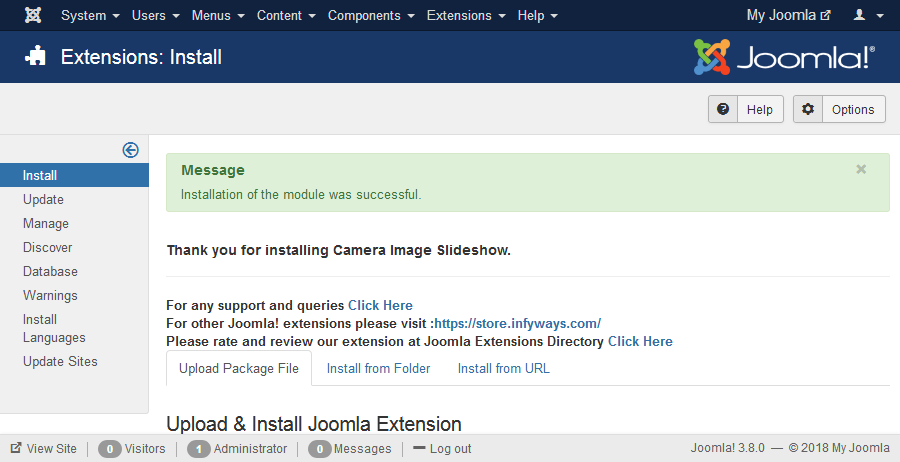
- For Joomla 3 & 4: Navigate to Extensions > Install, then click on the "Upload Package File" tab. Click "Browse" to select the appropriate installation file (
mod_camera_X.x.zip), then click "Upload and Install." - For Joomla 5: The installation process is the same as for Joomla 3 & 4.
A success message will be displayed once the installation is complete.