Actions
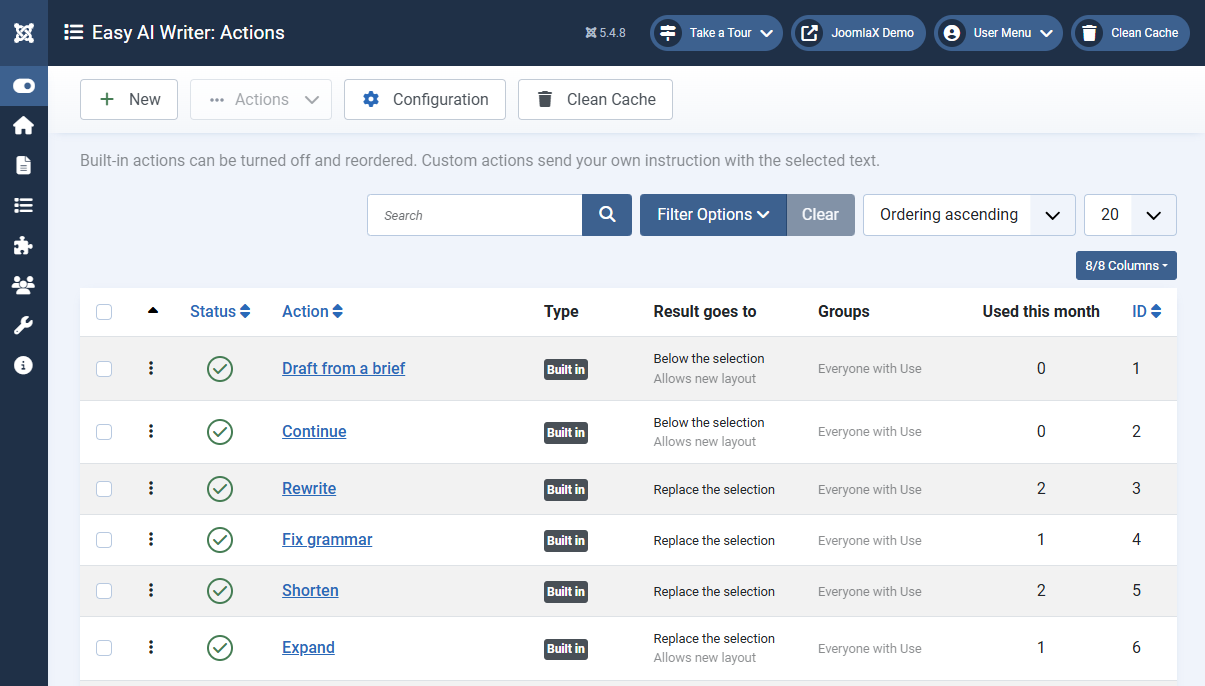
Open Components > Easy AI Writer > Actions. Every built-in action is listed with where its result goes, which groups see it, and how often it was used this month.
- Turn off an action with the status icon. It disappears from the panel for everyone.
- Reorder actions by dragging the handle. The panel follows this order.
- Limit to groups so that, for example, only Editors see Translate.
Custom actions
Click New to add your own. Give it a title that shows in the panel, and an instruction that tells the model what to do with the selected text, for example Rewrite for a reader who has never visited Kerala. Explain any local word in a few plain words. Keep every price, time, and date.
- Result goes to: replace the selection, or insert below it.
- Allows new layout: No keeps every paragraph and its styling and rewrites only the words. Yes lets the model add or remove paragraphs, headings, and lists.
Custom actions appear under a Custom heading in the panel. Users need the Manage actions permission to see this screen.