Site voice and limits
Site voice
On the Site voice tab, describe how this site writes: audience, tone, spelling, words to avoid. It is sent with every request so authors do not need to repeat it. Translate targets lists the languages offered in the Translate action. Content languages installed on the site are offered automatically.
Limits
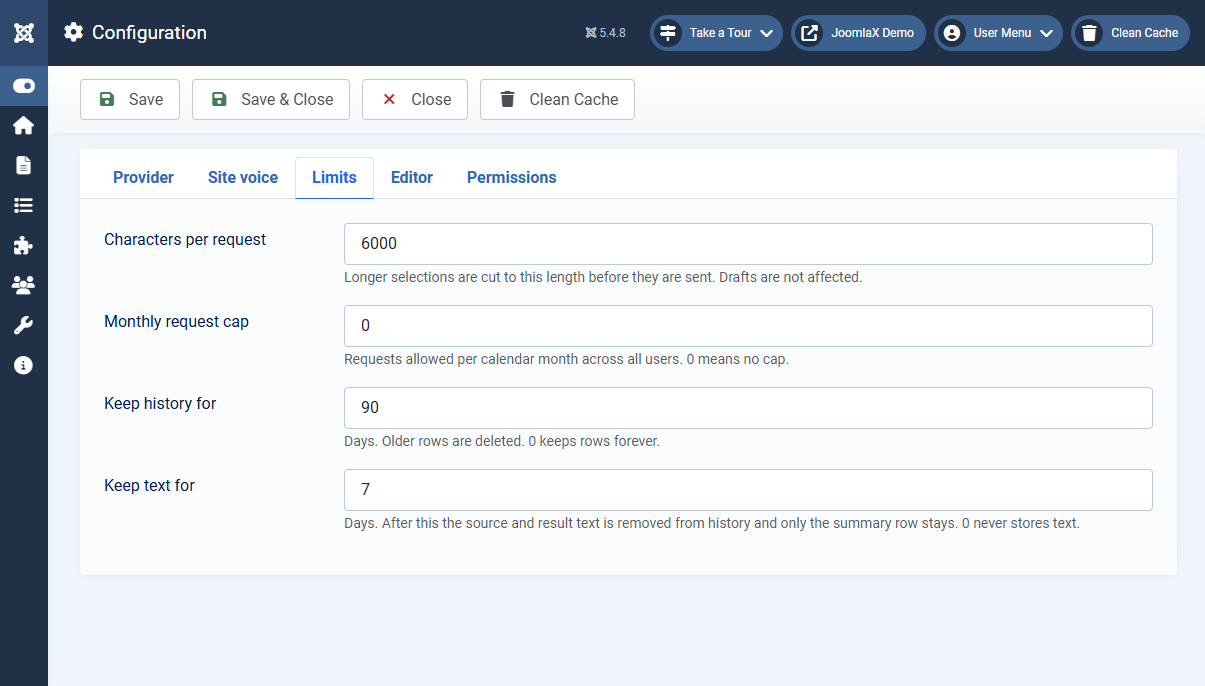
- Characters per request: longer selections are cut to this length before they are sent. Drafts are not affected.
- Monthly request cap: results delivered per calendar month across all users, counted in the site timezone. Provider errors and cap rejections are logged but do not count. 0 means no cap. When the cap is reached, authors see a message in the panel.
- Keep history for: days before a history row is deleted. 0 keeps rows forever.
- Keep text for: days before the source and result text are removed from a history row. Only the summary row stays. 0 never stores text.
Trimming runs from the Easy AI Writer: Prune history task. Open System > Scheduled Tasks > New, pick it, and set a daily schedule.
Editor
- Keyboard shortcut: default
Ctrl+Alt+W. Use Ctrl, Alt, Shift, and one letter. - Frontend editing: shows the button in the site article form for logged-in users who can use it.
- Confirm before replacing a whole article: asks before a result replaces more than 200 words.