History
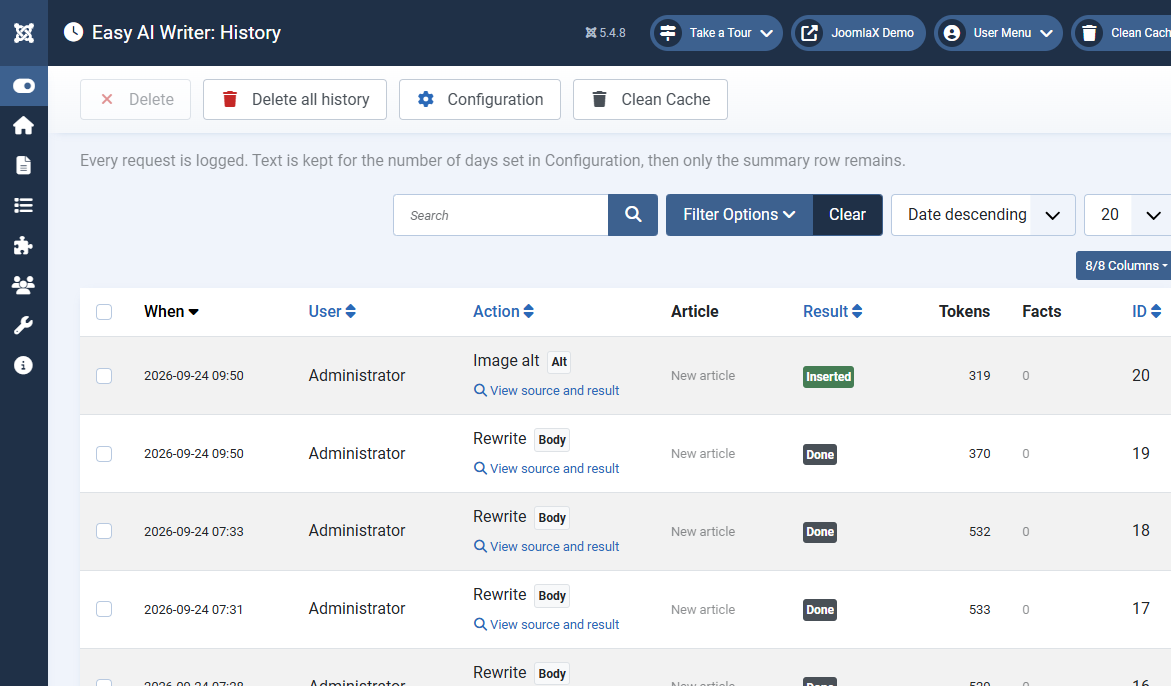
Open Components > Easy AI Writer > History. Every request is a row with the time, user, action, article, result, tokens, and the number of new facts that were flagged.
- Inserted means the author put the result in the article. Done means it was generated and not inserted. Failed shows the reason: provider error, monthly cap, stopped by the author, or a result that did not match the layout.
- View source and result opens the original and the generated text side by side in a full screen window while the text is still stored (see Keep text for). Press Escape or click outside to close it.
- Filter by user, action, result, and date. Search by article id or error text.
- Select rows and click Delete, or Delete all history to start again.
Users need the View history permission to see this screen and Delete to remove rows.