Form Builder
Use the module Form Fields subform to add, remove, and reorder fields. Each field supports type, label, required state, width, help text, default value, autocomplete, and upload controls where relevant.
Supported field types (25)
- Text: single-line text, textarea, email, phone, URL, search, password
- Values: number, range slider, date, time, date & time, month, week, colour picker
- Choices: checkbox group, radio group, dropdown, multi-select, consent checkbox
- Extra: file upload, hidden value, section heading, paragraph / instructions, divider
Presets
Ten built-in presets give you a ready-made form: Simple Contact, Business Enquiry, Quote Request, Support Ticket, Job Application, Event Registration, Booking Request, Customer Feedback, Newsletter Signup, and Callback Request.
You pick a preset from a dropdown list. Typing a preset name such as "Callback Request" into a field does not create any fields.
Import a preset step by step
- Open Content > Site Modules and open your Easy Ajax Contact module (or create a new one).
- Click the Form Builder tab.
- Under Quick Start Presets, choose a preset from the dropdown list. A short description of the preset appears under the list.
- Click Import preset.
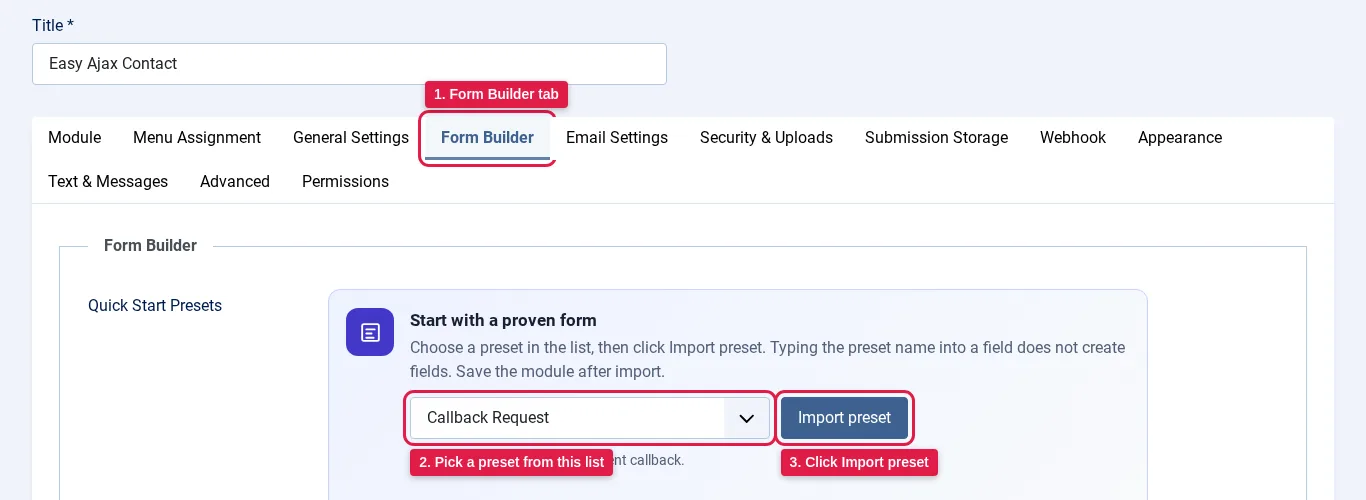
- Your browser asks you to confirm: "Replace the current form fields with the preset?" Click OK. Importing a preset replaces all the fields that are already in the form.
- A green message confirms the import, and the preset's fields appear under Form Fields. Review them and change labels, required settings, or options if you like.
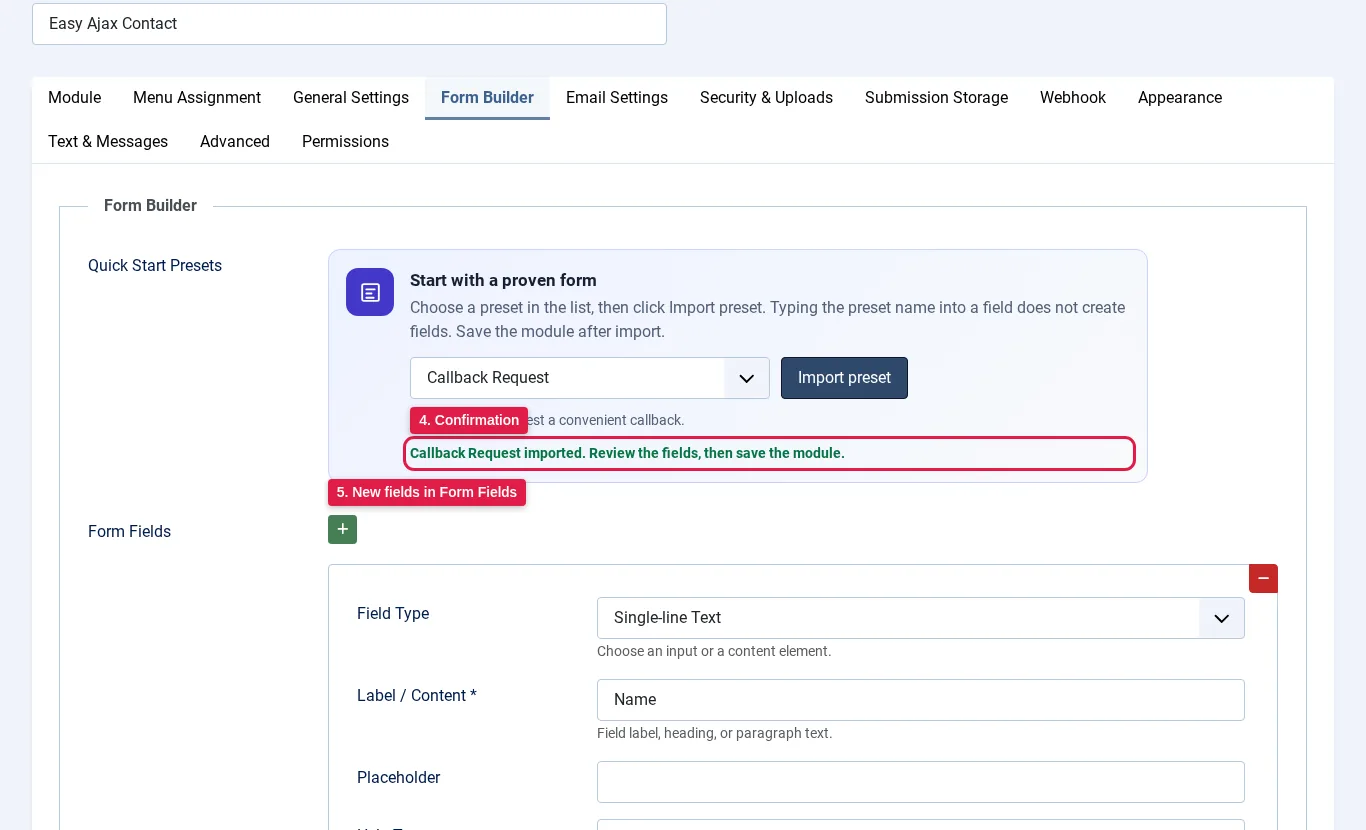
- Click Save or Save & Close. The imported fields are not stored until you save the module.

Tip: If you only see a plain text box instead of the presets dropdown, update to the latest version of Easy Ajax Contact. Older versions could fail to load the preset list on Linux servers.