Troubleshooting
Form does not submit
- Check recipient email, CAPTCHA settings, CSRF session, and browser console errors. Confirm the AJAX URL is reachable.
Shortcode still shows as text
- Confirm System - Easy Contact Shortcode is enabled and the module ID is published. Clear cache.
No inbox rows
- Enable Store Submissions on the module and confirm Components > Easy Contact is installed.
Webhook not arriving
- Verify the URL, HTTPS endpoint, and signature secret. Check the submission error column and Joomla logs.
Old assets remain
- Clear Joomla and browser cache. Confirm assets load as
easy-contact.css?X.xandeasy-contact.js?X.x.
- Clear Joomla and browser cache. Confirm assets load as
Submissions table is missing, or installation reported a table error
- Update to the latest version of Easy Ajax Contact. The update creates the
#__easycontact_submissionstable if it does not exist, so you do not need to create it by hand. - If the table is still missing, open System > Maintenance > Database. If Easy Contact shows a problem, tick its row and click Update Structure.
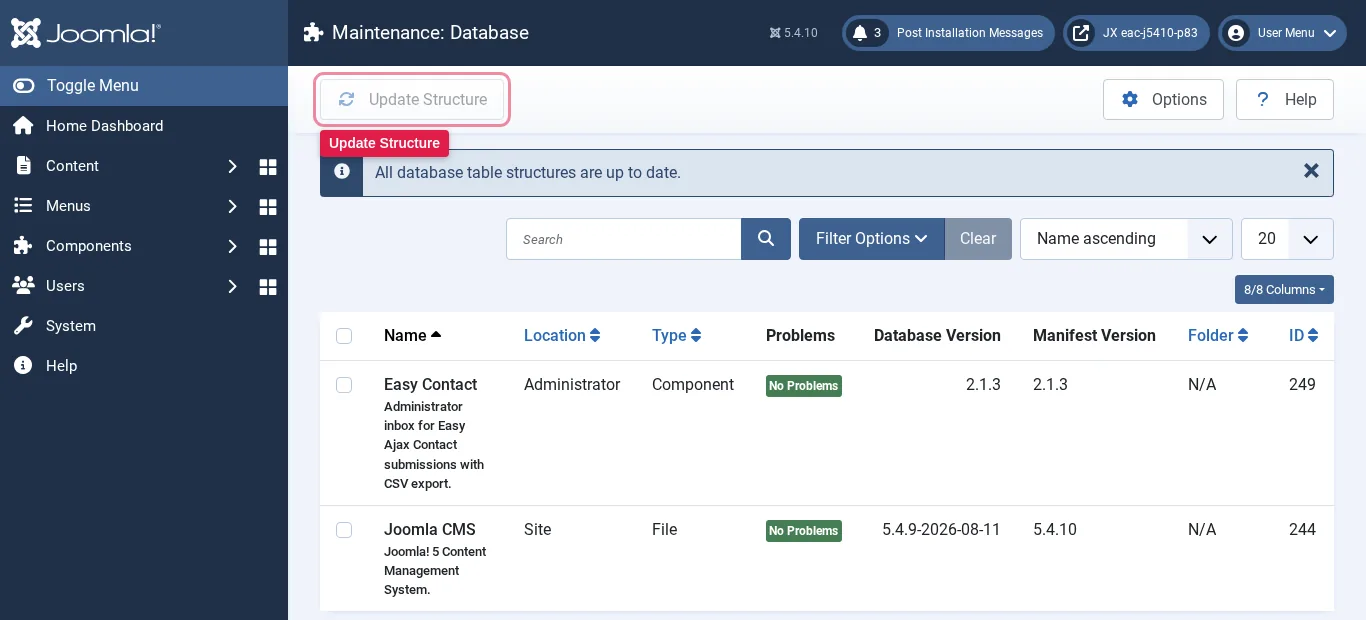 Maintenance > Database: the Easy Contact row and the Update Structure button" width="1366" height="620" loading="lazy">
- Update to the latest version of Easy Ajax Contact. The update creates the