Article Meta tab
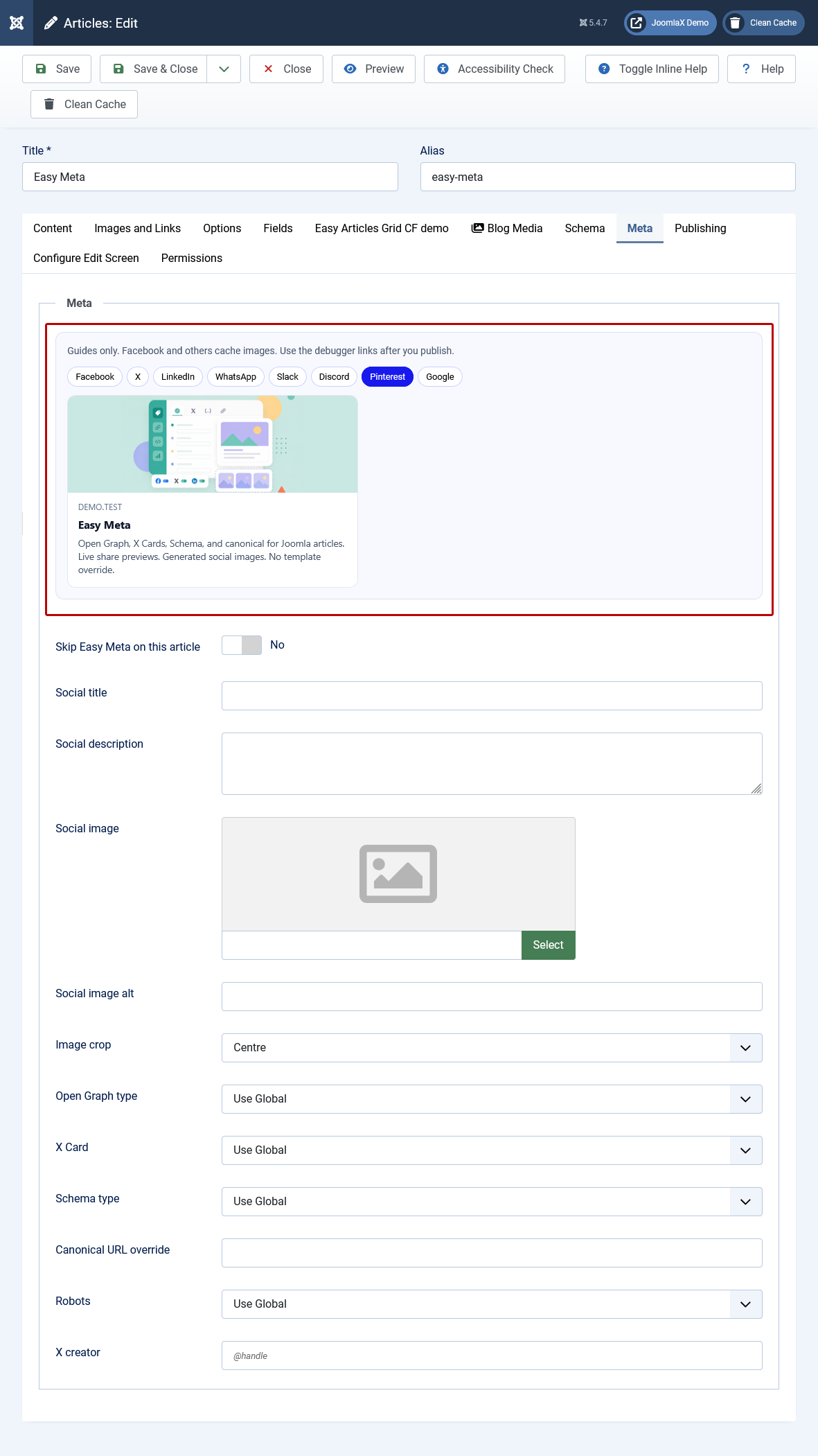
You can change the share card for one article without touching the plugin.
- Open Content > Articles.
- Open the article you want to share.
- Click the Meta tab (next to Content, Schema, Publishing).
- Type a Social title if you want a shorter title than the article title.
- Type a Social description if you want different text than the meta description.
- Pick a Social image if this article should use a special picture.
- Look at the previews (Facebook, X, LinkedIn, Google, and more). They update as you type.
- Click Save.
Leave a box empty to use the normal article title, description, or image.
Facebook may still show an old picture until you scrape the URL in Facebook Sharing Debugger.