Edit a testimonial
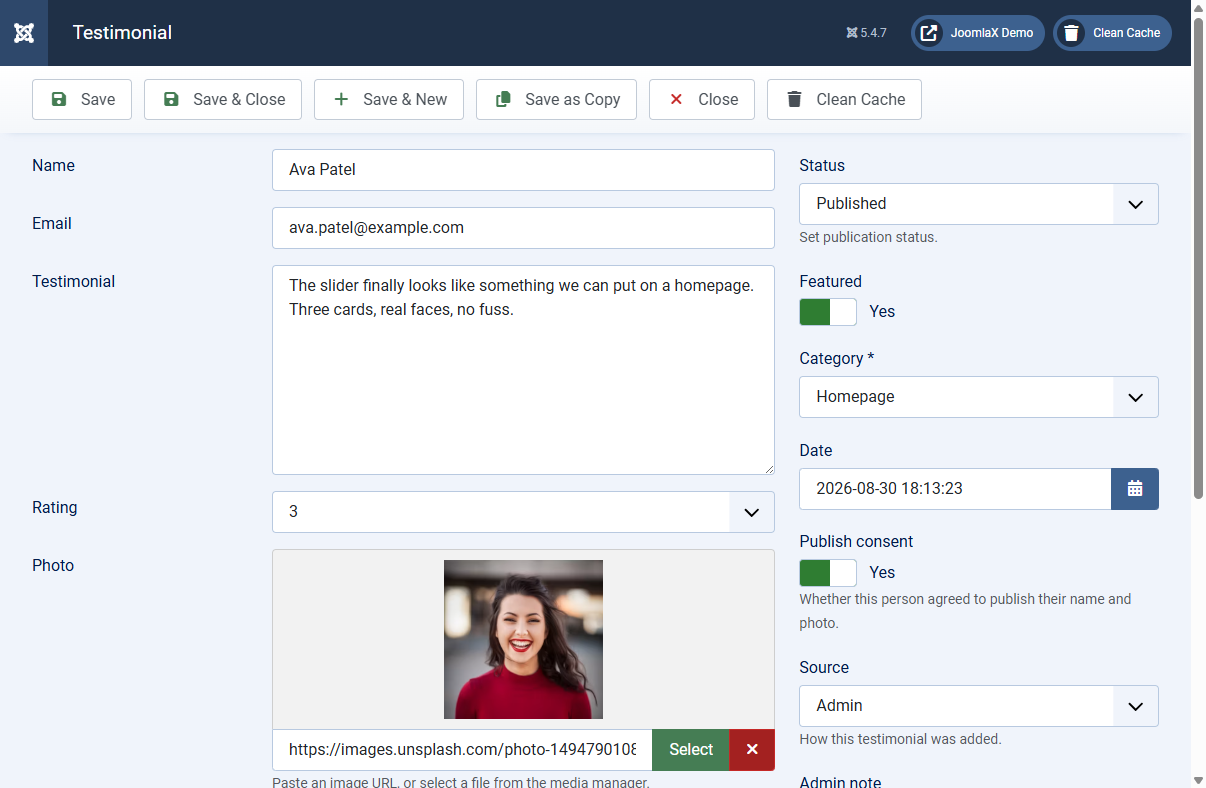
Click a name in the list or click New to open the edit screen.
Main fields
- Name and Email: who wrote the review
- Testimonial: the quote text visitors will read
- Rating: 0 to 5 stars (0 hides stars on the card)
- Photo: paste a URL or click Select to pick from Media Manager
- Job title, Company, Website, Location: optional profile details shown on cards
- Item reviewed: used for structured data (for example Starter plan)
- Video URL: adds a Watch video link on the card
Sidebar settings
- Status: Published, Unpublished, Archived, or Trashed
- Featured: Yes shows a featured badge when the theme allows it
- Category: required; pick Homepage, Product, Support, or your own category
- Publish consent: record whether the person agreed to show their name and photo
- Admin note: private note for your team (never shown on the site)
Student tip
Leave empty optional fields blank. Theme Studio hides empty fields automatically so cards stay tidy.