Installation
You need a Joomla login that can install extensions (usually Super User).
Step 1: Open the installer
- Log in to
/administrator. - Click System (left menu).
- Under Install, click Extensions.
Step 2: Upload the plugin zip
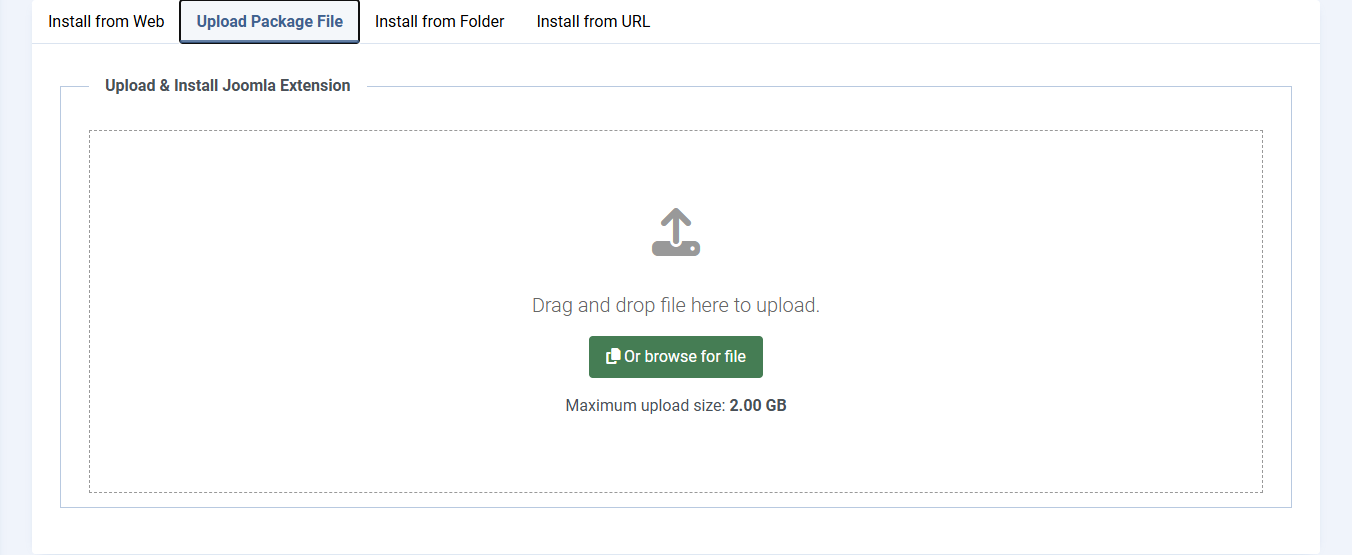
- Click the tab Upload Package File. Do not stay on Install from Web (that is the Joomla directory, not your file).
- Click Or browse for file and pick
plg_system_webpconverter_2.6.2.zip, or drag that zip onto the dashed box. - Wait for the green success message.
Step 3: Clear cache
- System > Maintenance > Clear Cache
- Select all, then Delete (or Empty Cache, depending on your Joomla version).
Step 4: Find the plugin
- System > Plugins
- In the search box type
WebP Converterand press Search. - If you see "No Matching Results", click Filter Options and set Type to system, then search again.
- The Status icon must be a green tick. If it is a red circle, click it once to enable.
- Click the name System - WebP Converter to open settings. Always open it from this list.
If Joomla says the plugin is already installed, that is an update. That is OK. Settings you already saved are kept.