Options
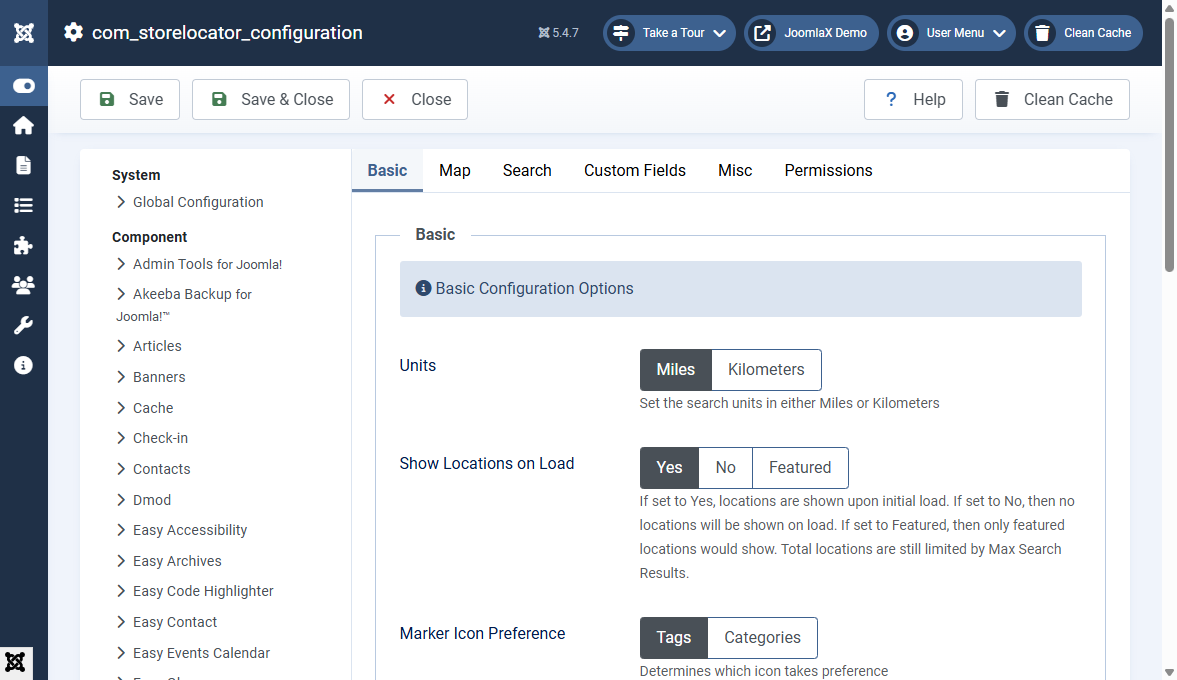
Open Options from the component toolbar or System > Global Configuration > Store Locator Pro.
Basic
- Units (Miles / Kilometers)
- Show Locations on Load (Yes / No / Featured)
- Marker Icon Preference (Tags or Categories)
Map
- Google Maps API Key (required)
- Directions, zoom wheel, terrain, default map type
- Cluster method: Google MarkerCluster, Spiderfier, or None
- Map height, hide list on load, auto or manual zoom, center lat / lon
Search
- Enable search, featured filter, radius filter, results list
- Google Suggest, radius list, default radius, max results
- Country search bias
Also review Permissions and any uninstall / keep-data setting before removing the extension.