Plugin Component
Utilities

Easy Coming Soon & Maintenance

Coming soon and maintenance pages for Joomla 5 and 6 with a waiting list, video backgrounds, preview links and admin bypass.

  • Zero B/C pluginRuns without the B/C pluginRuns on Joomla 5 and 6 without the Behaviour - Backward Compatibility plugin, so you can keep it switched off.
  • Joomla 5 & 6Tested and supported on Joomla 5 and 6.
  • 5.0
  • v1.0.7· Updated today
  • PHP 8.1+
  • Instant accessReady to install right after checkout
  • One-click updatesNew releases install from the Joomla administrator
  • Lifetime optionPay once and keep future releases
  • 30-day money-back guaranteeConditions apply, see our refund policy

Features

What can Easy Coming Soon & Maintenance do for you?

Eleven feature areas, one install package for Joomla 5 and 6.

Collect a Launch Waiting List

Launch Ready

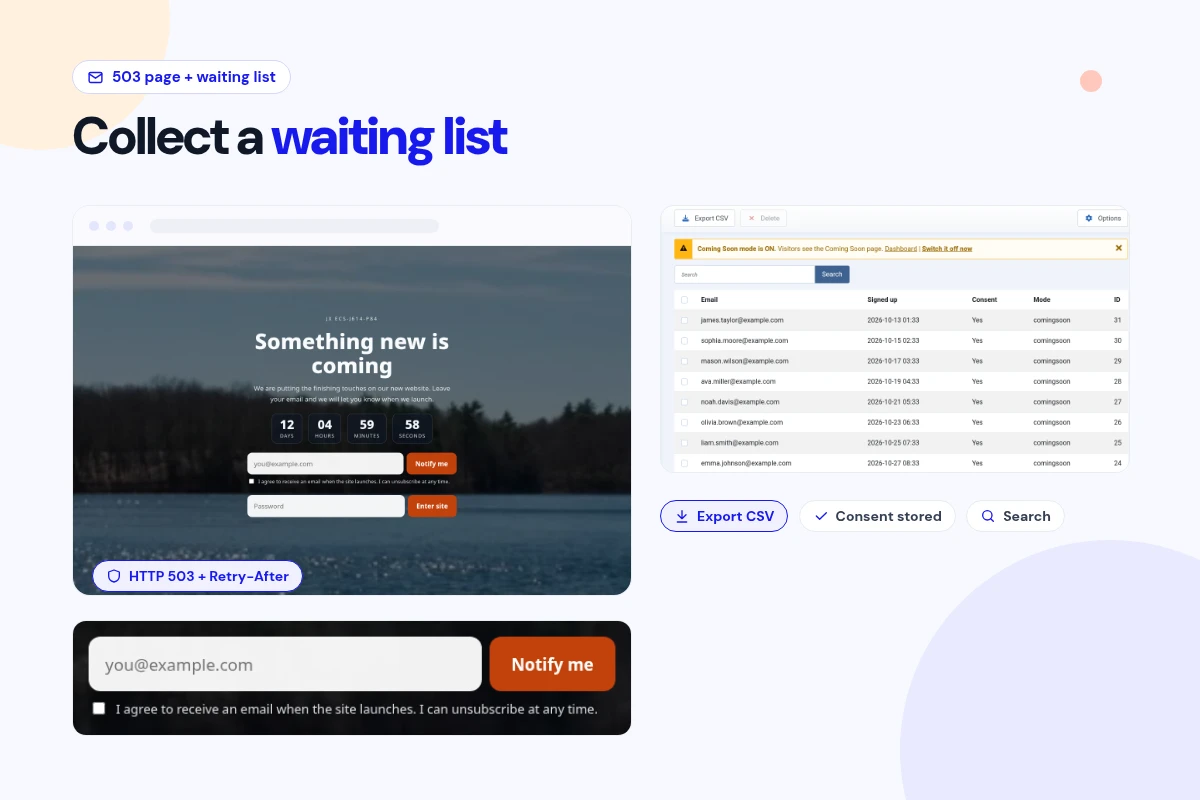
Collect a Launch Waiting List

  • Add an email signup with a consent checkbox to your coming soon page. Duplicate emails are stored once, and you can export the list to CSV with email, signup time (UTC), consent, consent wording and mode.
Video, Image or Color Backgrounds

Look Great

Video, Image or Color Backgrounds

  • Use a color, an image, a self-hosted MP4/WebM video, YouTube or Vimeo. Phones, Save-Data browsers and reduced-motion visitors get a still poster image instead of the video.
Let Chosen User Groups Through

Team Access

Let Chosen User Groups Through

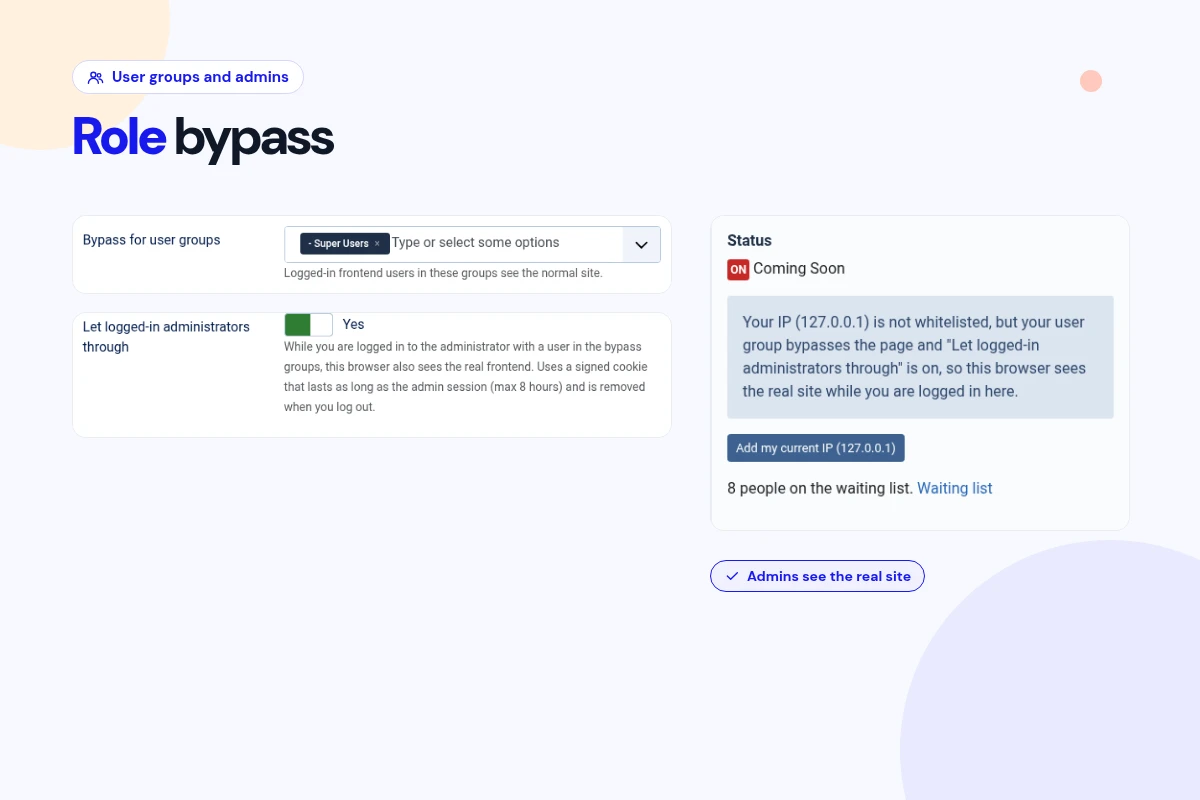
  • Pick the Joomla user groups that see the real site when logged in on the front end. Child groups are included, and logged-in administrators get through with their own admin session.
Named Preview Links for Clients

Client Previews

Named Preview Links for Clients

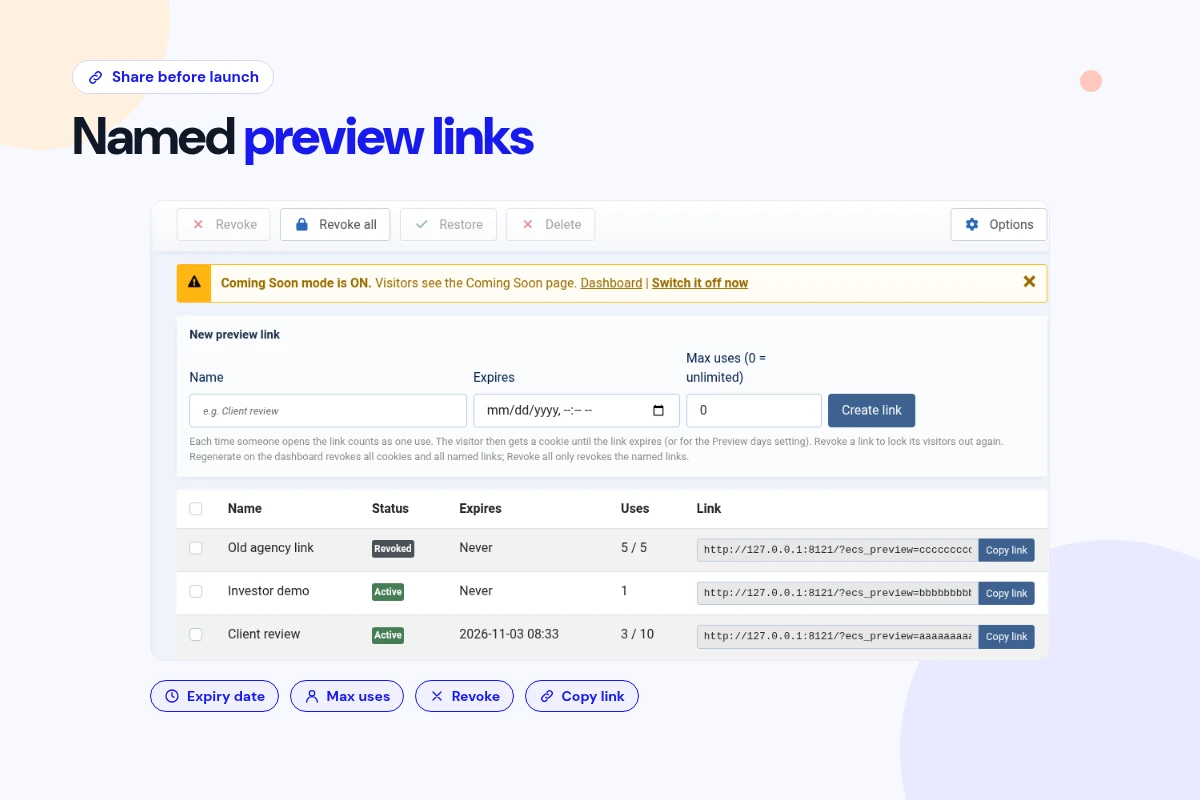
  • Create a separate preview link for each client or team, with an optional expiry date and use limit. See each link's status and uses, and revoke or restore it any time.
Shared Password Access

Private Access

Shared Password Access

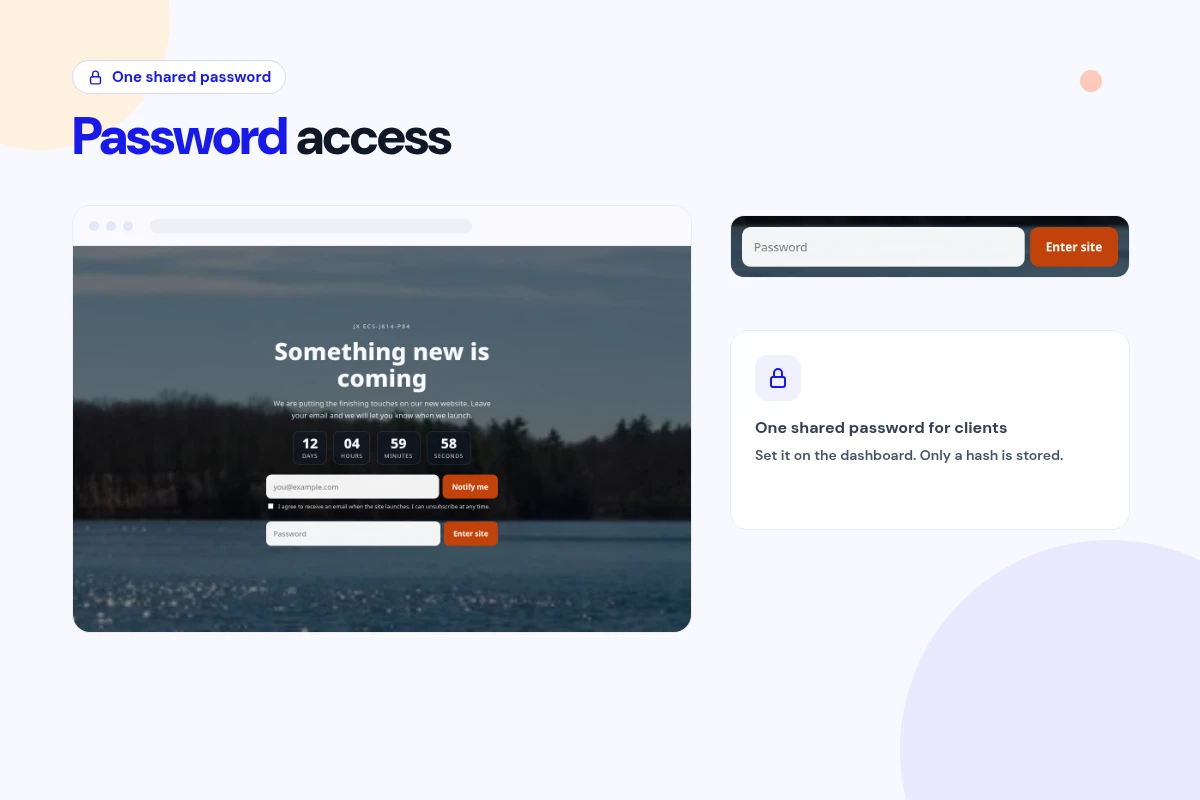
  • Set one shared password on the Dashboard's Shared password card to turn password access on, and clear it to turn it off. Only a hash is stored, and wrong guesses are limited per IP.
Automatic Thank-You Email

Stay in Touch

Automatic Thank-You Email

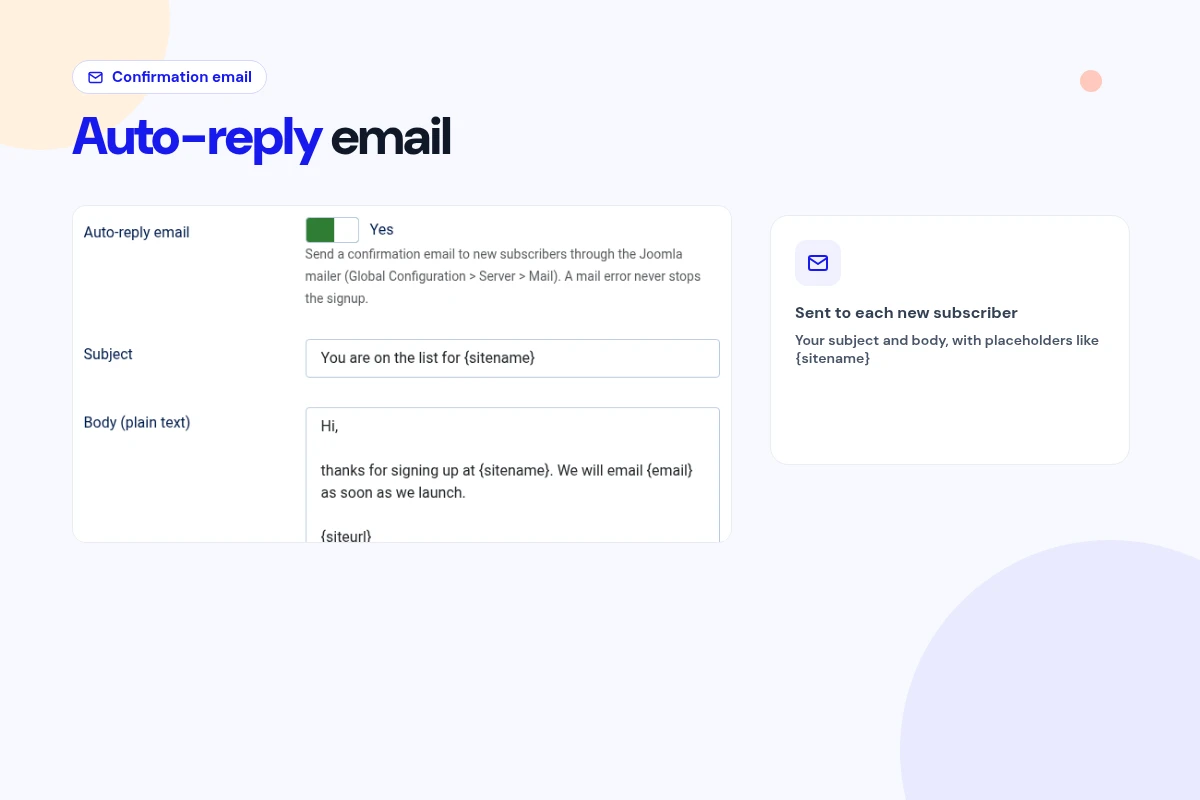
  • Send new signups an optional plain-text auto-reply through Joomla's own mailer, with placeholders for email, site name, site URL and date. If sending fails, the signup is still saved.
Admin Warning Bar

Never Forget

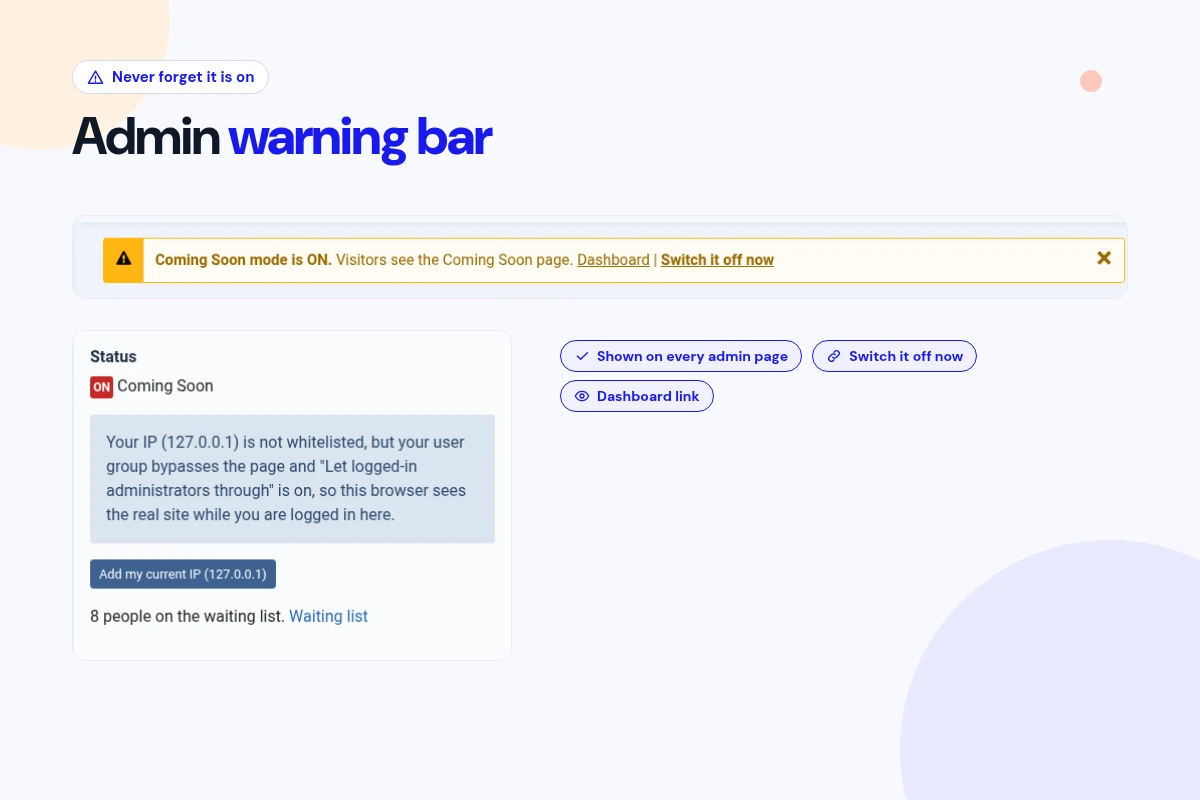
Admin Warning Bar

  • While the page is on, every Joomla administrator page shows a bar saying which mode is active, with links to the Dashboard and to switch it off right away.
Visits and Signups Stats

Know Your Numbers

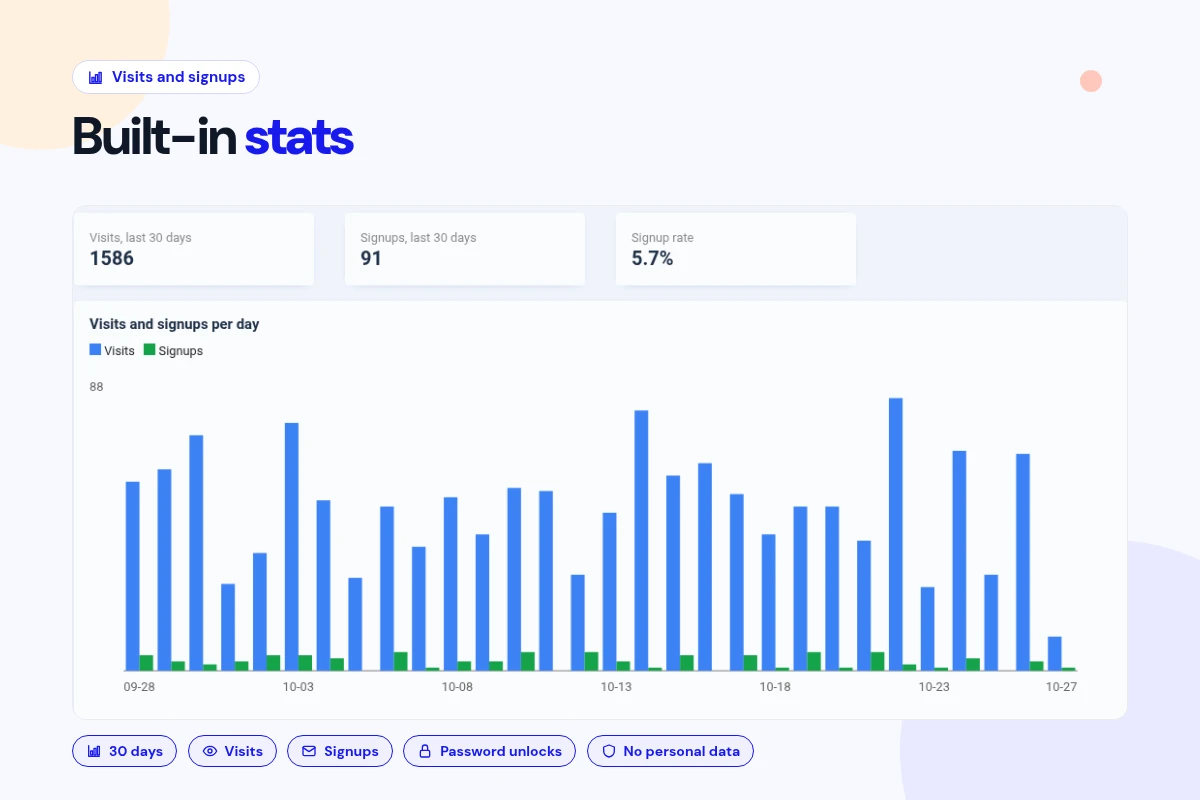
Visits and Signups Stats

  • See the last 30 days of page visits, signups, signup rate and password unlocks in a chart and daily table. Only one row of daily totals is stored, with no personal data.
IP and CIDR Whitelist

Office Access

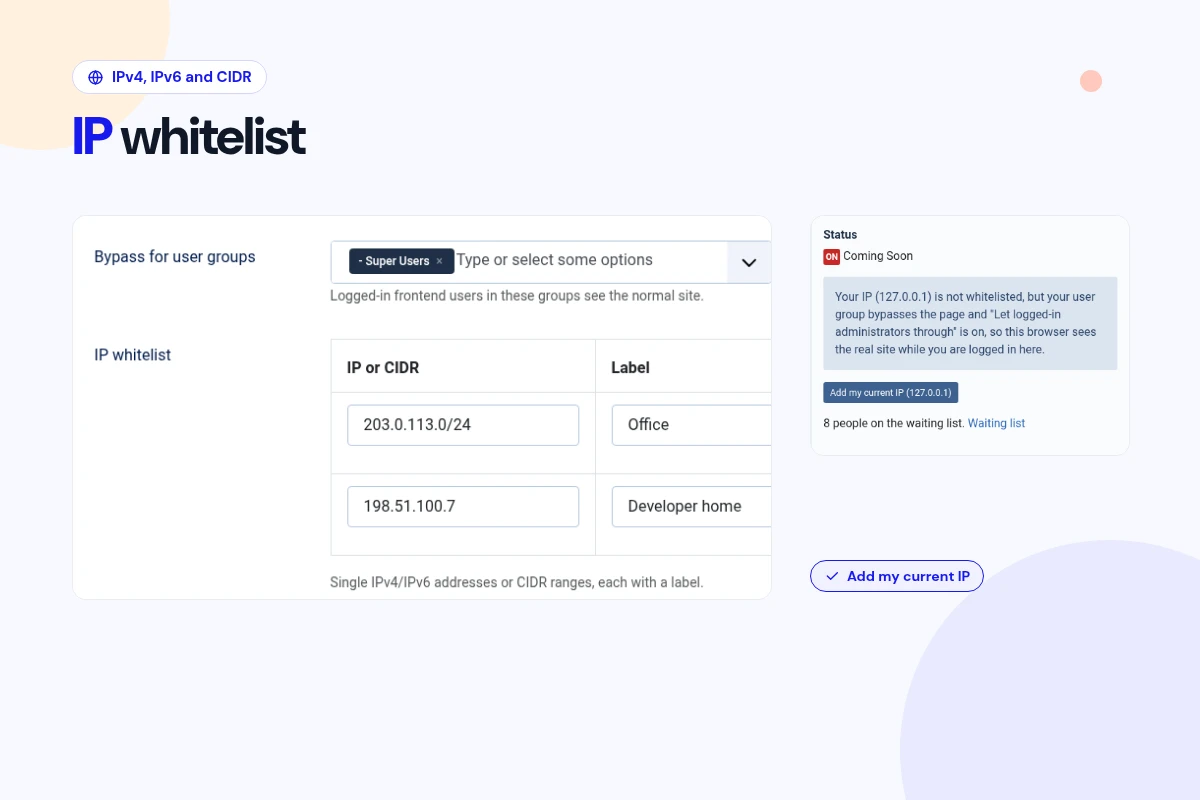
IP and CIDR Whitelist

  • Let your office or team through by IPv4 or IPv6 address or CIDR range, each with a label. Add your current IP in one click, with proxy support for Cloudflare or load balancers.
Emergency Off Link and Marker File

Safety Net

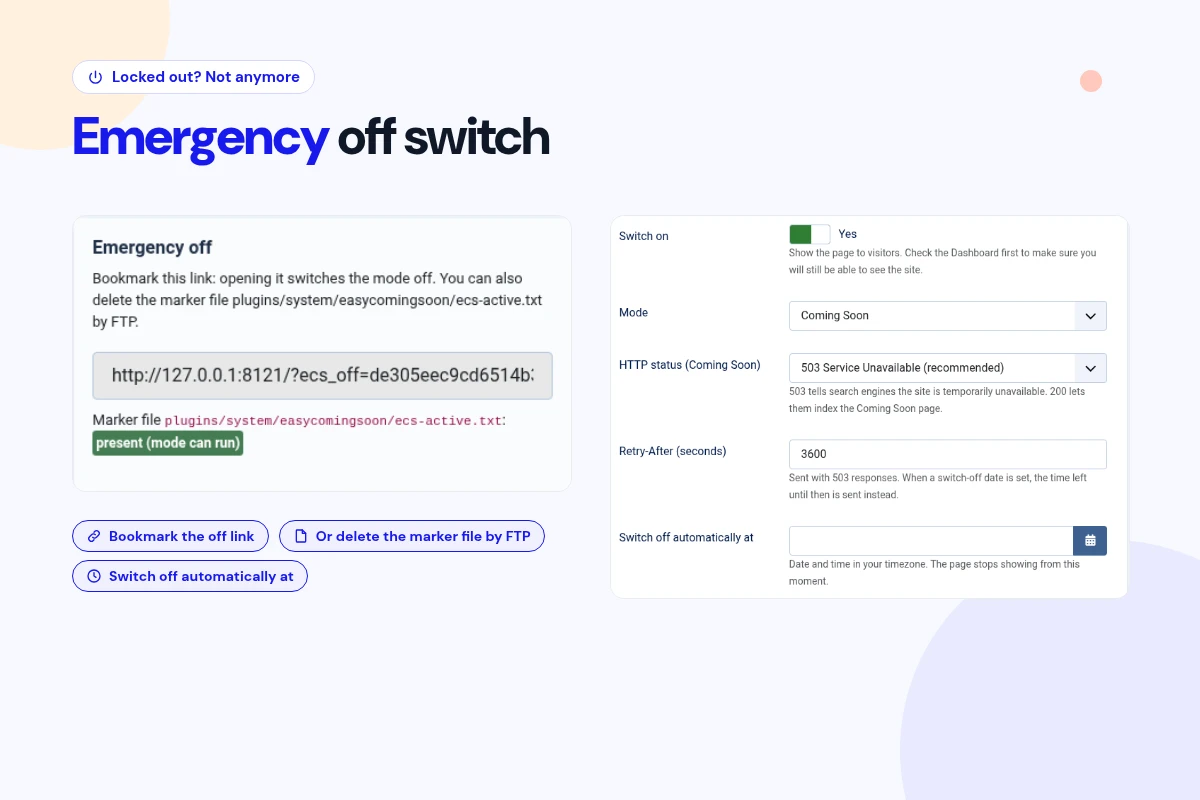
Emergency Off Link and Marker File

  • Locked out? Open your private emergency link (yoursite.com/?ecs_off= plus the secret token shown on the Dashboard), or delete one marker file by FTP or your file manager. Either way the page turns off immediately. The link also sets Switch on to No and deletes the marker file. Turn the page back on with Re-create marker file on the Dashboard.
Two Modes, Six Layouts

SEO Safe

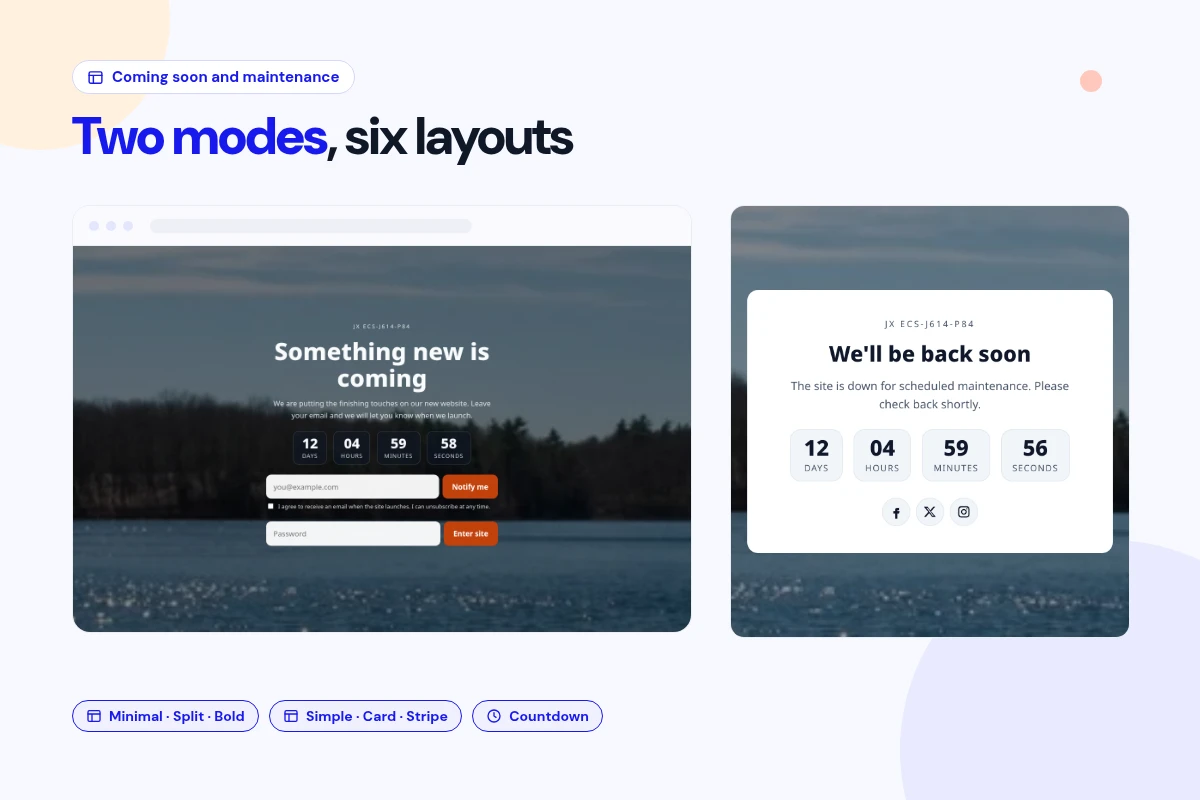
Two Modes, Six Layouts

  • Switch between Coming Soon (Minimal, Split panel, Bold) and Maintenance (Simple, Card, Stripe). Both send a proper 503 with Retry-After so search engines know it's temporary.

Changelog

What's new

2 releases since version 1.0.4. Updates install from the Joomla admin with a valid licence.

    • Relicensed under the GNU General Public License version 2 or later; LICENSE.txt is included.
    • The Options help text now refers to the Password access card.
    • Removed unused language strings.

Docs & setup

Get up and running fast

Written guides for installing and configuring Easy Coming Soon & Maintenance, from first setup to the options that matter.

  • Installation stepsOne install zip for Joomla 5 and 6, installed from System, Install, Extensions.
  • Configuration optionsThe settings in the guide, from first setup to the options that matter.
  • Practical usage tipsShort examples you can adapt to your site.

Pricing

Choose the plan that fits

Save more as you scale — longer access means a bigger discount.

Compatible with
Joomla 5 Joomla 6
Tester plan
30 Days
Basic testing plan. 30 days access only. No priority support. Access expires after 30 days - no future updates.
$19

$19

You save zero
Download Access - 30 Days
Support - 30 Days Email Support
1 Website License
Unlimited Downloads
No Priority Support
No Future Updates After 30 Days
Limited to Testing Only
30-Day Money Back Guarantee
Commercial Use License
6 Months
6 months access with priority support & bug fixes. Perfect for short-term projects and growing businesses.
$114

$29

You save $85
Download Access - 6 Months
Support - 6 Months + Priority Updates
2 Websites License
Unlimited Downloads
Priority Email Support
Priority Bug Fixes
6 Months Free Updates
30-Day Money Back Guarantee
Commercial Use License
Pay once
Lifetime
Lifetime access with dedicated support agent. Never pay again - unlimited updates & custom development support included.
$1,980

$99

You save 95%
Download Access - Lifetime
Support - Lifetime + Dedicated Support
Unlimited Websites License
Unlimited Downloads
Dedicated Support Agent
Lifetime Free Updates
Feature Request Priority
Custom Development Support
30-Day Money Back Guarantee
Commercial Use License

Why buy here

Why JoomlaX

  • Built, maintained and supported by one team Every product sold on JoomlaX is developed, maintained and supported by Infyways, building Joomla solutions since 2010.
  • Ready for Joomla 5 and 6 This extension supports Joomla 5 and 6. Each product page lists the versions it works with.
  • One-click Joomla updates Regular updates and feature improvements for licensed customers, delivered straight to your Joomla admin.
  • Support from the developers Tickets go straight to the developers. First replies within 24 business hours.

All-access bundle

Unlock every JoomlaX extension in one plan

Get all 127 extensions, new releases, ongoing updates and full-time support. Bought one by one, a year of updates for every extension costs over $4,700.

  • Basic

    Ideal for small projects and personal sites

    $249/ 6 months

    Save 91% · $2,900+ value

    • Access to 127 extensions
    • Access to new extensions during period
    • 3 websites license
    • 6 months support and updates
    • Unlimited downloads
    • Full-time expert technical support
    Buy Basic plan

    30-day money-back guarantee

  • Most popular

    Premium

    Best for growing businesses and web agencies

    $349/ 1 year

    Save 92% · $4,700+ value

    • Access to 127 extensions
    • Access to new extensions during period
    • 5 websites license
    • 1 year support and updates
    • Unlimited downloads
    • Priority full-time technical support
    Buy Premium plan

    30-day money-back guarantee

  • Developer

    For professional developers and multi-client agencies

    $749/ one-time

    Pay once · keep forever

    • Access to 127 extensions
    • Access to all future new extensions
    • Unlimited websites license
    • Lifetime support and updates
    • Unlimited downloads
    • VIP priority full-time technical support
    Buy Developer plan

    30-day money-back guarantee

FAQ

Questions about Easy Coming Soon & Maintenance

Still unsure? Our support team is one ticket away.

Which Joomla versions does it support?

Joomla 5 and Joomla 6, natively. You need PHP 8.1 or later; the installer stops on older PHP versions.

Will a coming soon page hurt my Google rankings?

The page sends a 503 status with a Retry-After header, the standard signal for "temporarily down", plus noindex. Keep downtime short, and use the automatic switch-off time for planned work.

Does installing it switch my site into maintenance mode?

No. Your site stays public until you set Switch on to Yes in Options.

Why do I still see my normal site after switching it on?

That's expected. As a logged-in administrator you're let through. Open your site in a private window to see what visitors see.

What if I lock myself out?

Log in at /administrator, which is never blocked. Or open your private emergency link, yoursite.com/?ecs_off= plus the secret token shown on the Dashboard; bookmark it in advance. It sets Switch on to No and deletes the marker file. You can also delete the marker file plugins/system/easycomingsoon/ecs-active.txt by FTP. Either way the page turns off immediately. To turn it back on, click Re-create marker file on the Dashboard (and set Switch on back to Yes if you used the link).

Will my online store's payments still work?

Default rules cover popular gateways and shop extensions, but callbacks only stay open when the gateway calls a non-SEF URL that includes option=. Check each gateway's notification URL and test a sandbox payment first.

How do I give a client a preview?

Create a named preview link under Preview links, with an optional expiry date and maximum uses. You can revoke or restore it at any time.

How do I turn password access on or off?

On the Dashboard's Shared password card: setting a password turns it on, and clearing it turns it off. Only a hash of the password is stored.

What's in the waiting-list CSV export?

The columns are email, created_utc, consent, consent_text and mode (whether Coming Soon or Maintenance mode was active at signup).

Does it change .htaccess?

No. It never reads or writes .htaccess or any other server file.

Do I need to log in again after updating?

No. As of 1.0.6, admins no longer have to log in again after an upgrade, and your settings, waiting list, links and stats are kept.

Does my plan renew automatically, and where do I get help?

Plans don't renew automatically. Get support at support.joomlax.com (modified code isn't supported). See our refund policy at https://joomlax.com/refund-policy.

Help from the people who built it

Don't have an account yet? Register Now!

Sign in to your account