Basic Settings
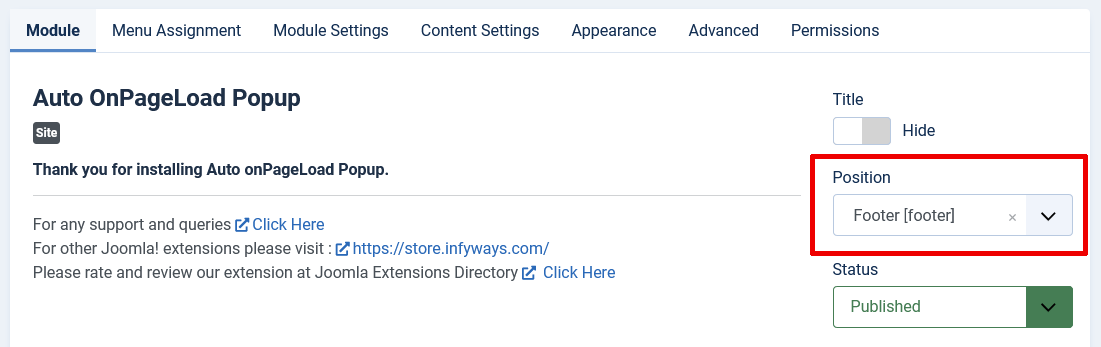
To set up the Auto Onpageload Popup module after installation:
Joomla 4, 5, and 6
- Go to Content > Site Modules to find the Auto Onpageload Popup module. Click on it to access its settings.
Setting Up the Module Position
For the popup to work correctly, you must assign it to a module position on your Joomla website. Follow these simple steps:
- Hide the Title: Set the module title to be hidden.
- Module Position: Select any available module position from the dropdown list. We recommend using the "debug" position if it's available on your site.
- Module Status: Make sure the module is set to Published.