Images
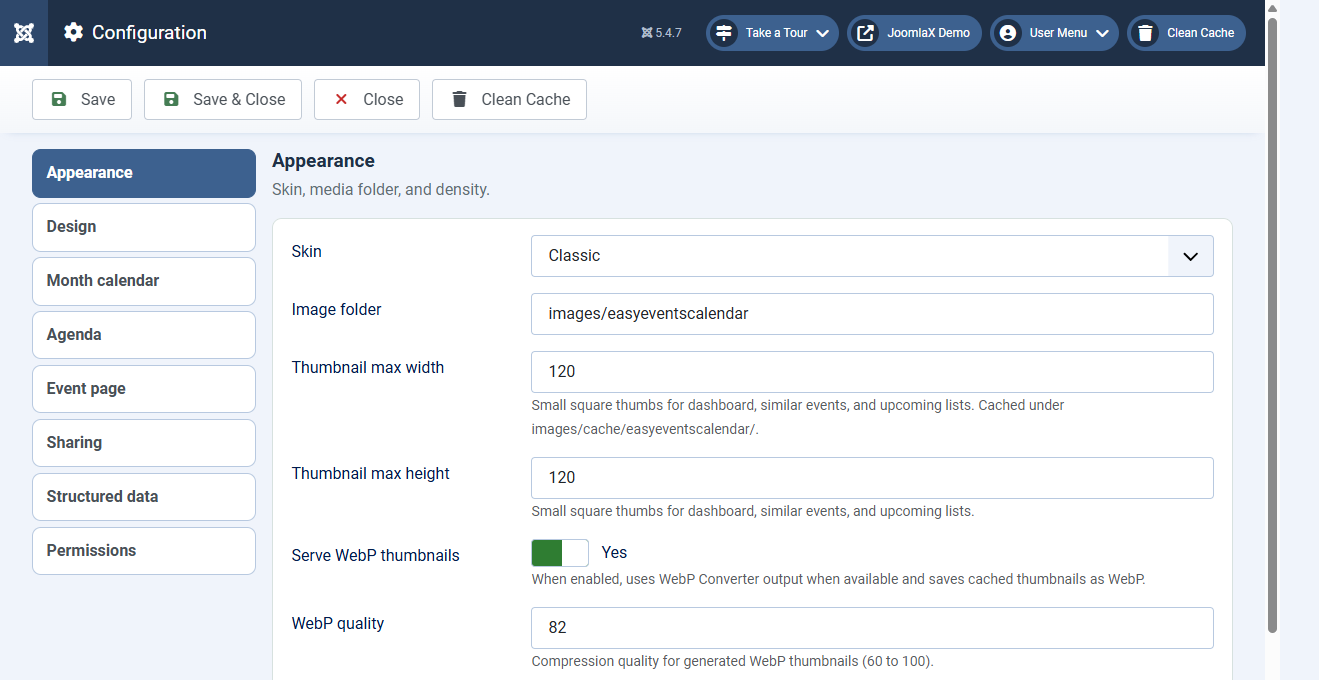
Upload full-size photos on events. Easy Events Calendar creates smaller cached copies for lists so pages load faster.
Where to set sizes
Open Components > Easy Events Calendar > Configuration (Appearance).
- Thumbnail max width / height: small squares (default 120×120) for Dashboard, Similar events, and Upcoming lists
- Card image max width / height: larger 16:10 crops (default 640×400) for Cards and Timeline
- Serve WebP thumbnails: Yes to save lighter WebP files when PHP supports it
- WebP quality: about 82 is a good balance
Cached files live under images/cache/easyeventscalendar/. Menu items and the module can override these sizes when needed.
Event detail heroes and galleries still use the full image so large photos stay sharp.