Rules list
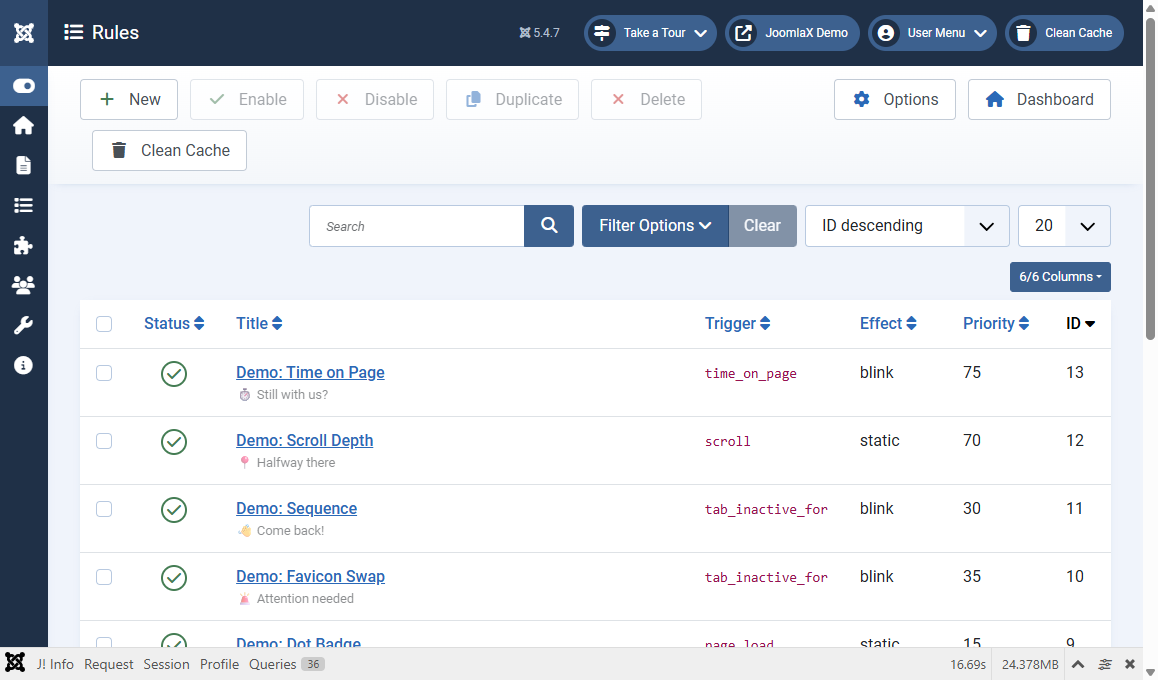
Open Components > Easy Tab Title > Rules.
List tools
- New: create a blank rule
- Enable / Disable: publish or unpublish selected rules
- Duplicate / Delete: copy or remove rules
- Search and filters: find a rule by title
- Columns: show or hide table columns
What each column means
- Status: green means the rule can run
- Title: your friendly name for the rule
- Trigger: when it starts (for example tab_inactive_for or scroll)
- Effect: static, blink, scroll, or rotate
- Priority: lower numbers win when several rules match
Student tip
Unpublish a rule instead of deleting it while you test. That way you can turn it back on in one click.