Behaviour
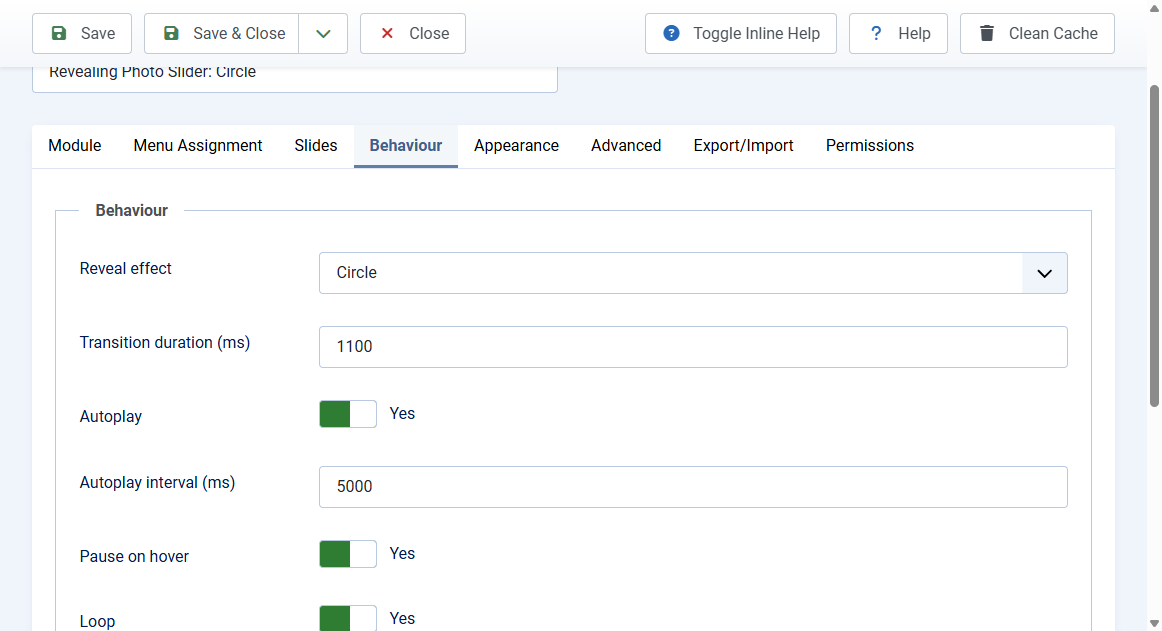
The Behaviour tab controls how slides change.
Reveal effect
- Circle: the new photo grows out of the centre (default)
- Wipe (horizontal / vertical): the new photo sweeps across
- Split (horizontal / vertical): the new photo opens from the middle like doors
- Diamond: a diamond shape expands from the centre
- Fade: a simple cross fade
Wipes run in the opposite direction when a visitor goes back.
Timing and navigation
- Transition duration (ms): 200 to 4000, default 1100
- Autoplay: Yes by default. A play and pause button appears when it is on
- Autoplay interval (ms): time each slide is shown, default 5000
- Pause on hover: Yes by default. Autoplay also pauses in a background browser tab
- Loop: Yes by default. No stops at the last slide
- Zoom effect: slow zoom out on the incoming image
- Keyboard navigation: left and right arrow keys when the slider has focus
- Swipe navigation: touch and mouse drag
- Start at slide: 0 is the first slide
Visitors who turn on reduced motion in their operating system get no autoplay and near instant changes. The play button still works.