Search behavior
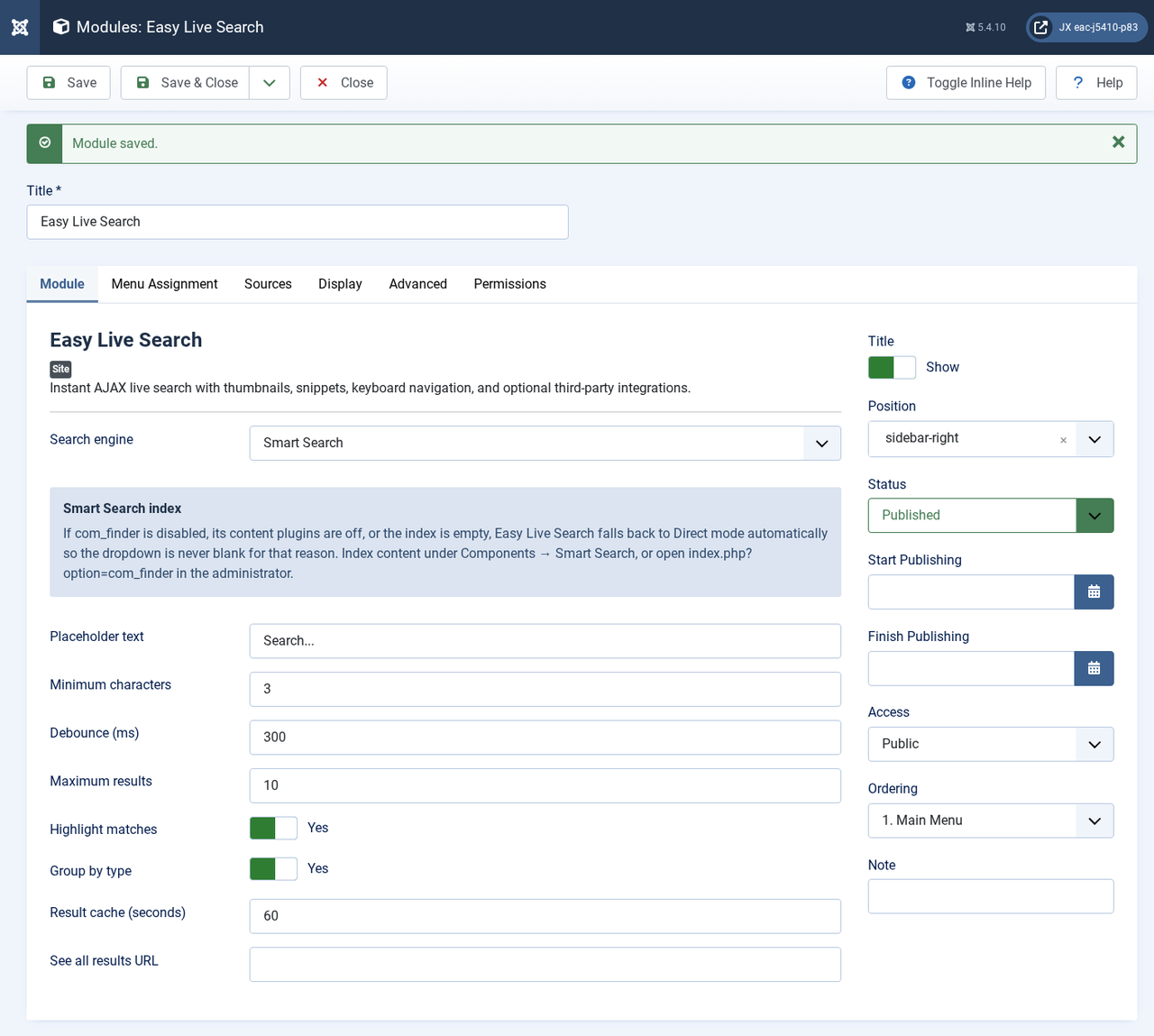
The rest of the Search behavior settings are also on the Module tab.
| Setting | What it does | Default |
|---|---|---|
| Placeholder text | Shown inside the search input when it is empty. | Search… |
| Minimum characters | How many characters are required before a search request is sent (1–10). A search does not run until the visitor types at least this many characters. | 3 |
| Debounce (ms) | How long to wait after typing before the request starts (0–2000, in steps of 50). This keeps the site from being hit on every keystroke. | 300 |
| Maximum results | A hard cap across all sources combined (1–50). The dropdown shows at most this many items, split across the index and any extra sources. | 10 |
| Match in | Title only or Title and text. Shown only in Direct mode. In Smart Search mode, matching follows the Smart Search index, so this field is hidden. Extra sources (directory, events, and shops) still use the saved value, which is Title and text unless you changed it in Direct mode. See each source below for which fields “text” includes. | Title and text |
| Highlight matches | Wraps matching terms in the result title and snippet. | Yes |
| Group by type | Shows a heading for each result type in the dropdown (Articles, Contacts, Products, and so on). | Yes |
| Result cache (seconds) | Cache identical queries for this many seconds (0–3600). Set 0 to disable. The cache is separate for each module, query, language, and visitor (access level and user). New or edited content can take up to this long to appear in the dropdown, in addition to any Smart Search reindex delay. | 60 |
| See all results URL | An optional custom URL for the See all results link. Leave empty to use Smart Search (com_finder) if it is enabled, or the classic Search component (com_search) if it is not. If you enter a custom URL, it is used as you typed it; see The results page and See all results. |
(empty) |
The Advanced tab has Joomla’s usual Alternative Layout and Module Class Suffix fields. Use these if your template provides a custom layout or you want to add a CSS class to this search box.
Joomla also shows the usual module fields that are not listed here (Title, Show Title, Position, Status, Access, publishing dates, language, and Menu Assignment). If a visitor cannot see the module, they cannot use that search box.