Search engine
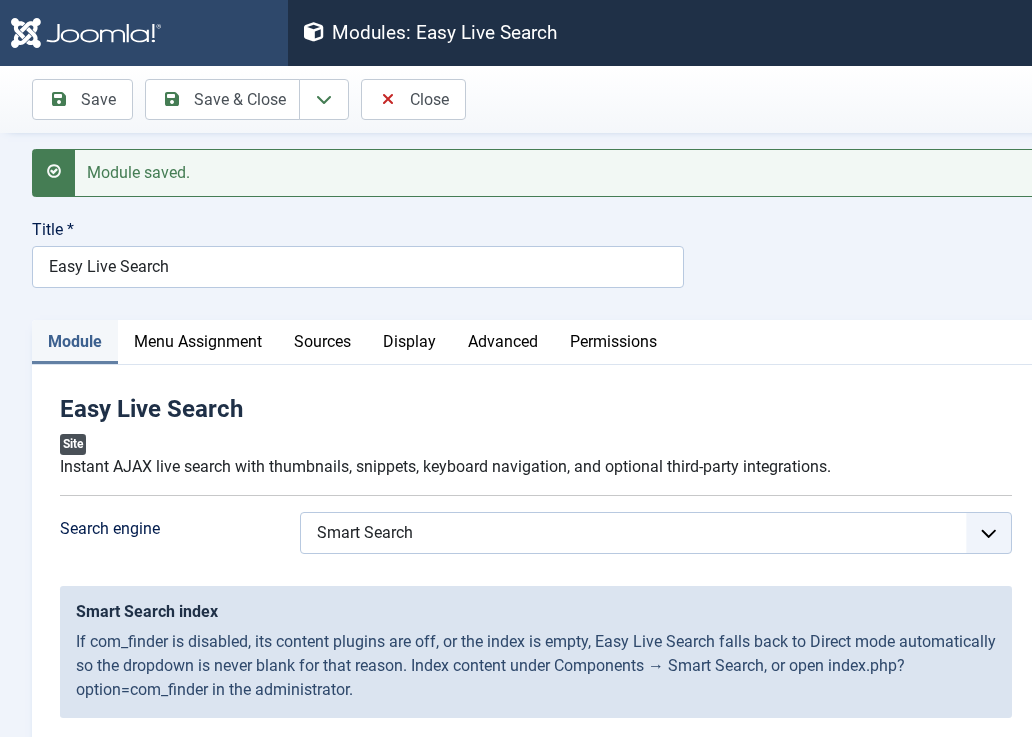
On the Module tab, under the Search behavior settings, the first setting is Search engine. It defaults to Smart Search.
| Option | What it does |
|---|---|
| Smart Search | Uses Joomla’s Smart Search (com_finder) index. Stemming, synonyms, and multi-word queries match the Smart Search results page. Articles, categories, and contacts come from that index (and any other items you have indexed). You can still turn on Easy Directory, Easy Events Calendar, and shop sources as extra results; those are merged in and de-duplicated by URL. Shop sources stay off until you turn them on. |
| Direct | Runs a separate lookup for each source you enable. Article, category, and contact switches, limits, order, Match in, and article category filters appear only in this mode. In Direct mode, each source is matched as a substring in the fields listed for that source. |
If you leave Smart Search selected, but Smart Search is disabled, its content plugins are off, or the index is empty, Easy Live Search falls back to Direct automatically so the dropdown is not blank for that reason. An information note labeled Smart Search index appears on the Module tab when Smart Search is selected, and points you to Components → Smart Search.
When you later index your site, Smart Search is used again on the next search — you do not have to change the setting.