Troubleshooting
The search box does not appear. The package does not publish a module for you. Create a site module of type Easy Live Search, assign a position your template actually displays, publish it, and assign it to the relevant menu items.
The box is there, but nothing happens when I type.
- Type at least as many characters as Minimum characters (3 by default).
- Wait for the Debounce delay (300 ms by default).
- Confirm Ajax - Easy Live Search is enabled under System → Manage → Plugins. The plugin is enabled on first install, but it is not turned back on automatically if you disabled it later.
- In the browser’s developer tools, check whether the request to com_ajax is blocked by a template, security extension, or caching layer.
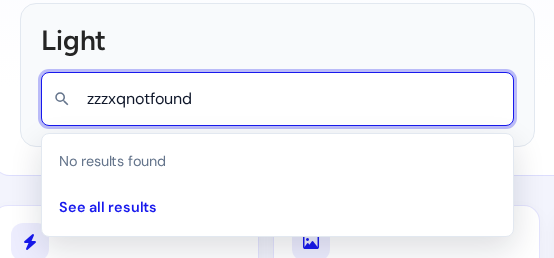
I see “No results found” for content I know is published. - In Smart Search mode, check Components → Smart Search and reindex if the item is missing or still shows an old access or publish state. If the index is empty, the box should have fallen back to Direct; if it has not, confirm the Smart Search component and at least one Finder content plugin are enabled. - In Direct mode, check that the matching source is turned on. Shop sources default to off. - Confirm the item is published, within its publish dates, in an allowed category, and in a language and access level the visitor can see. Try the same search in a private window (as a guest) and while logged in. - Match in may be set to Title only (Direct mode). - If Result cache is not 0, wait for the cache lifetime, or set it to 0 while you test. - In Direct mode, the query is matched as consecutive characters, not as separate keywords with AND/OR. In Smart Search mode, multi-word queries follow Smart Search.
A visitor cannot use the box, or they always see no results. Check the module’s Access setting. If the visitor’s user group cannot see the module, the search will not return results for them.
I see “Invalid security token” in the browser’s network inspector. The front-end security token was missing or expired. Refresh the page and try again. Aggressive page caching of HTML that includes the token can also cause this. The dropdown may simply look empty.
The See all results page is empty or looks wrong. Rebuild the Smart Search index, or set a See all results URL to a page you control. Extra shop, directory, or events results appear in the dropdown only; they are not added to the Smart Search page automatically.
A shop, directory, or events source returns nothing. Confirm that component is installed and enabled. If it is missing, Easy Live Search skips it silently. For VirtueMart, a language table for the current language (or English) must exist.
An update does not appear in Joomla. Check that the download key is saved on the Easy Live Search update site under System → Update → Update Sites.