The results page and See all results
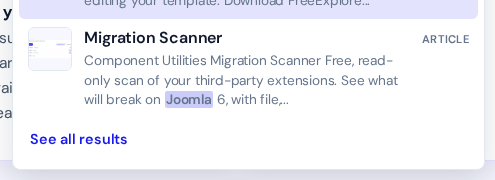
The dropdown is a short list, not a full search results page. Easy Live Search does not add its own results page. At the bottom of the dropdown, See all results opens Smart Search, classic Search, or the custom URL you set.
- If you leave See all results URL empty and Smart Search (
com_finder) is enabled, visitors go to the Smart Search results page, with the current query included. - If Smart Search is not enabled but the classic Search component (
com_search) is, the link uses that component and includes the current query. - If you enter a custom See all results URL, that address is used as you typed it. The current query is not added automatically, so include it in the URL if your results page needs it.
The optional Search button and pressing Enter with no result highlighted also go to this page.
In Smart Search mode, the full page and the dropdown use the same index for articles, categories, and contacts, so those results should match closely. Extra sources you add (shops, directory, or events) appear in the dropdown only. They are not added to Joomla’s Smart Search page unless you have indexed them some other way. In Direct mode, the full page is still Smart Search or classic Search, so it can show different items, or a different order, than the live dropdown.
If neither search component is available and you have not set a custom URL, the link still points at a Smart Search URL, which may show a “not found” page.
For Smart Search to return useful results, its index must be up to date. See Indexing your site.