Content plugin settings
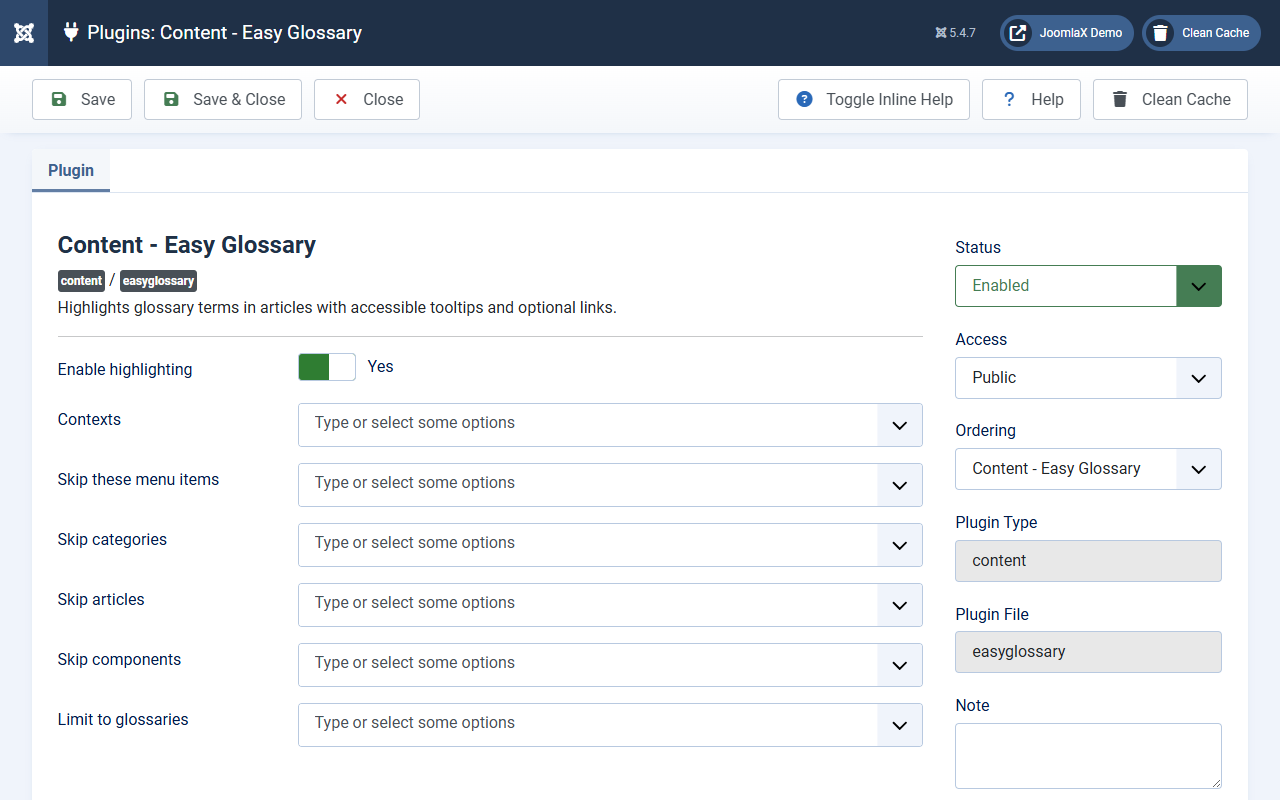
Open System > Plugins > Content - Easy Glossary.
Main switches
- Enable highlighting: keep Yes
- Status: Enabled
Where it runs
- Contexts: usually Articles and Easy Glossary A-Z. Add Category blog or Featured only if you need tips there too.
Skip lists
- Skip these menu items: pages that should never highlight
- Skip categories and Skip articles
- Skip components: other components that should stay clean
- Limit to glossaries: empty means all published glossaries
Click Save & Close, then clear cache.
Student tip: Use Skip menu items for landing pages, checkout, or login where tips would distract people.