Edit a term
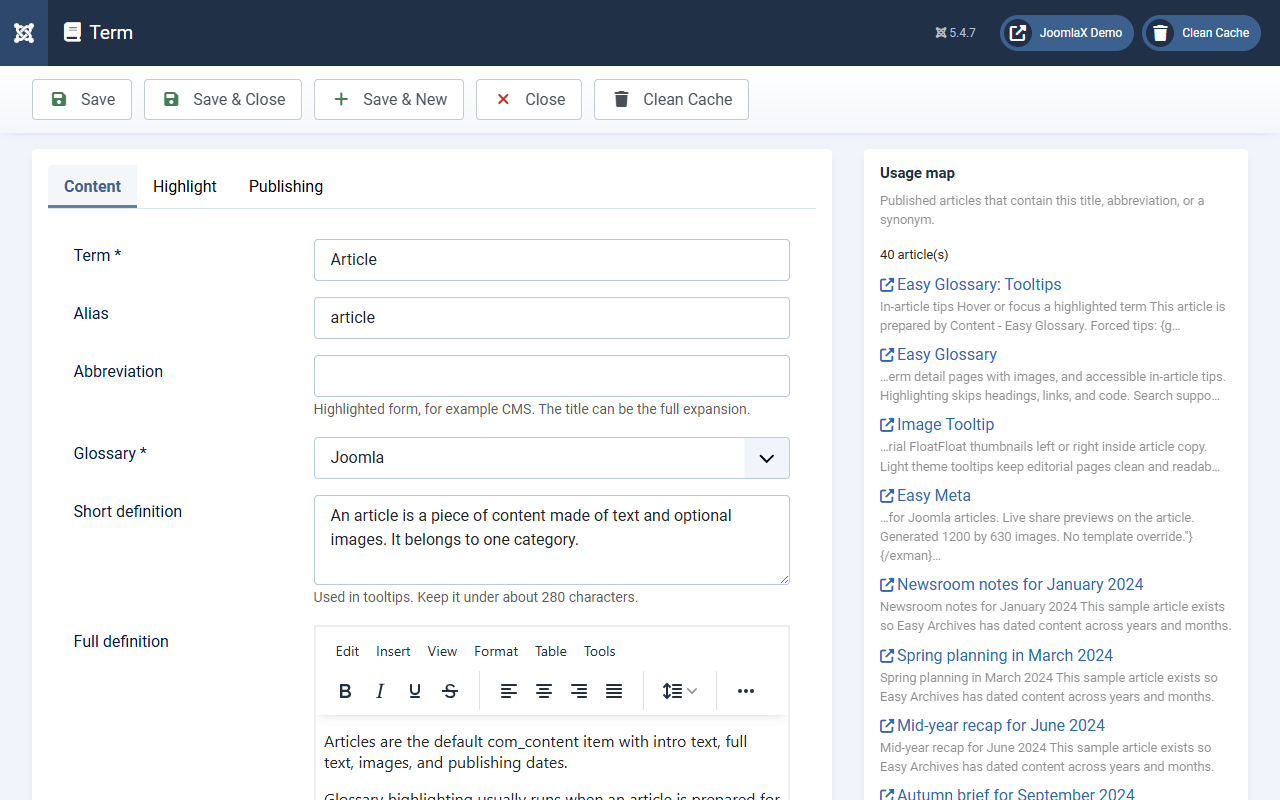
Click a term title (or New). This is where each dictionary entry lives.
Content fields
- Term (required): the exact word or phrase to match
- Alias: used in the term page URL
- Abbreviation: optional short form (also matched)
- Glossary (required): pick the parent dictionary
- Short definition: text shown in the tip (keep it short and clear)
- Full definition: longer text for the term detail page
- Synonyms: other spellings that should use the same tip
- Related terms: See also links
- Tags and Image: optional
Highlight settings
- Highlight mode: Inherit (use Configuration), Tooltip and link, Tooltip only, Link only, or Off
- Case sensitive: usually No
- Max highlights: 0 means use the global page limit
Publishing
- Featured: Yes to show in featured lists
- Status, Access, Language
- Meta title / Meta description: for the term page in search results
Helpful side panels
- Usage map: articles that already contain this term
- Wikipedia: optional helper to fetch a short extract
- Live preview: sample of how the highlight can look
Click Save when finished.