Configuration
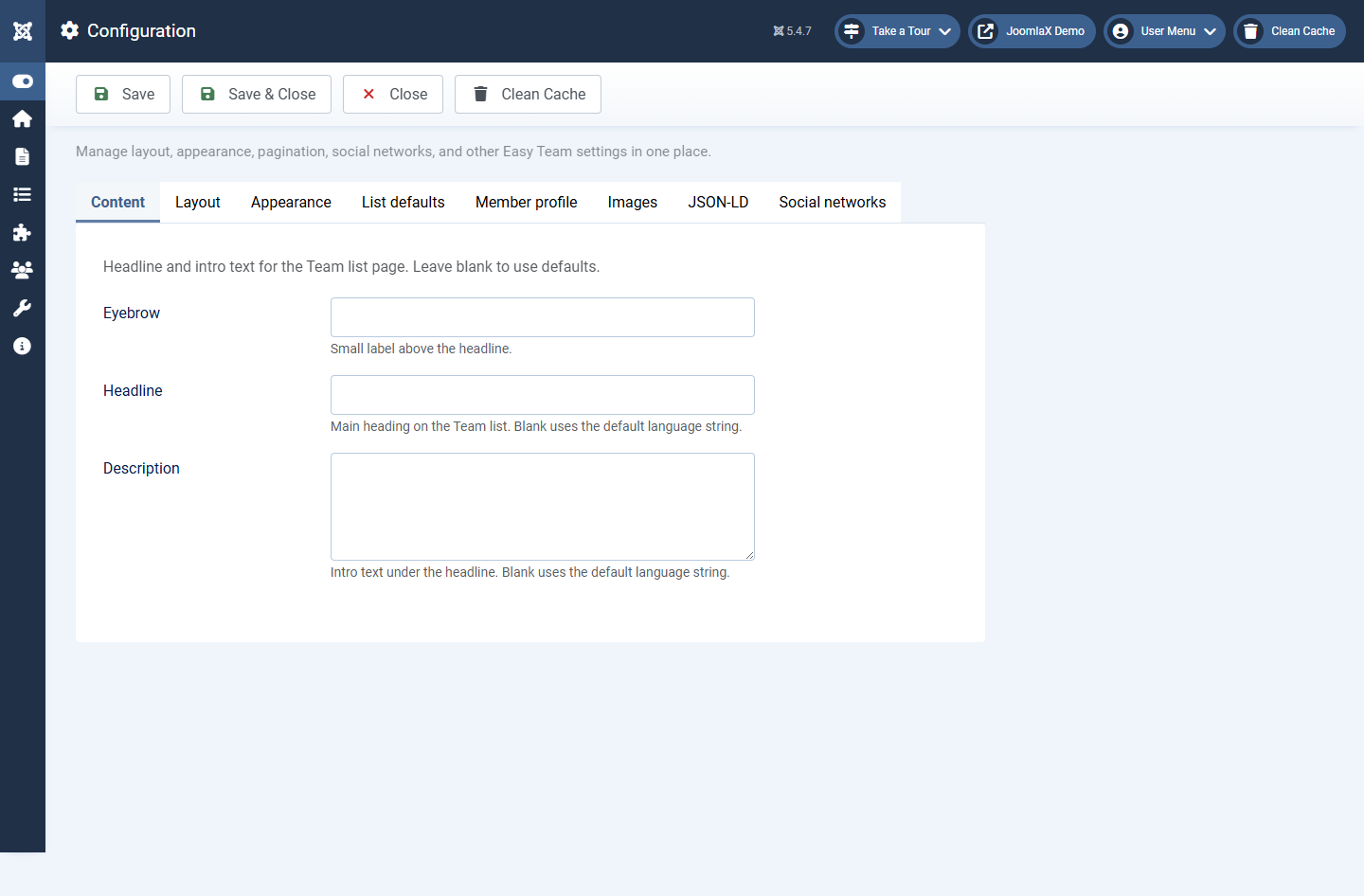
Open Components > Easy Team > Configuration. These settings control the Team Directory page and member profiles. Click Save after changes.
The form has tabs across the top. Each tab is explained below in plain language.
Content
- Eyebrow: small label above the main title
- Headline: main title on the Team list (leave blank for the default text)
- Description: short intro under the headline
Layout
- Layout: Cards, Grid, List, Compact, Featured, Carousel, Overlay
- Theme: Classic, Soft, Bold, Minimal, Glass
- Photo shape: Circle, Rounded, or Square
- Photo size: width in pixels (about 80 to 400)
- Columns: 1 to 6 on wide screens
- Gap: space between cards (example: 24px)
- Alignment: Left, Center, Right
- Show role / category / bio / social / contact: turn pieces on or off
- Bio length: how many characters of bio show on the card (0 = full text)
- Show filters: category filter tabs when more than one category exists
- Filter alignment: where the filter tabs sit
- Bio modal: popup with the full profile when member linking is off
- Link members: Yes opens the member profile page when a visitor clicks a card
- Open member in new tab: only when Link members is Yes
- Hover effect / Social on hover: motion and icon reveal options
- Open links in new tab: for social and website icons
- Carousel auto-play / speed: only when Layout is Carousel
- Show demo nav: optional strip of demo menu links (turn Off on a live site)
Appearance
- Accent, name, role, and text colours
- Card background, border colour, border radius, drop shadow
- Extra CSS: optional custom rules for advanced users
List defaults
- List limit: how many members per page (example: 12)
- Pagination mode: Pages (numbered), Scroll (load more while scrolling), or None (show all up to the limit rules)
- Hash filters: Yes updates the browser address when a filter is clicked (example: #leadership) so links can be shared
- Show result count: shows how many people match
- Default ordering: Ordering, Name, or Sort name
Member profile
- Show back link: Yes shows a return link to the Team list on the profile page
Images
- Prefer WebP: modern smaller image format when possible
- WebP quality / max width / max height: resize rules for uploads
- Image folder: default
images/easy-team - Lazy load: loads photos as the visitor scrolls (faster first paint)
JSON-LD
- Optional schema.org Person data for search engines
- Enable only if you understand structured data; leave Off for a simple site
Social networks
- Global switches to enable or disable each network site-wide
- If LinkedIn is Off here, LinkedIn icons will not show even if a member has a URL