Configuration
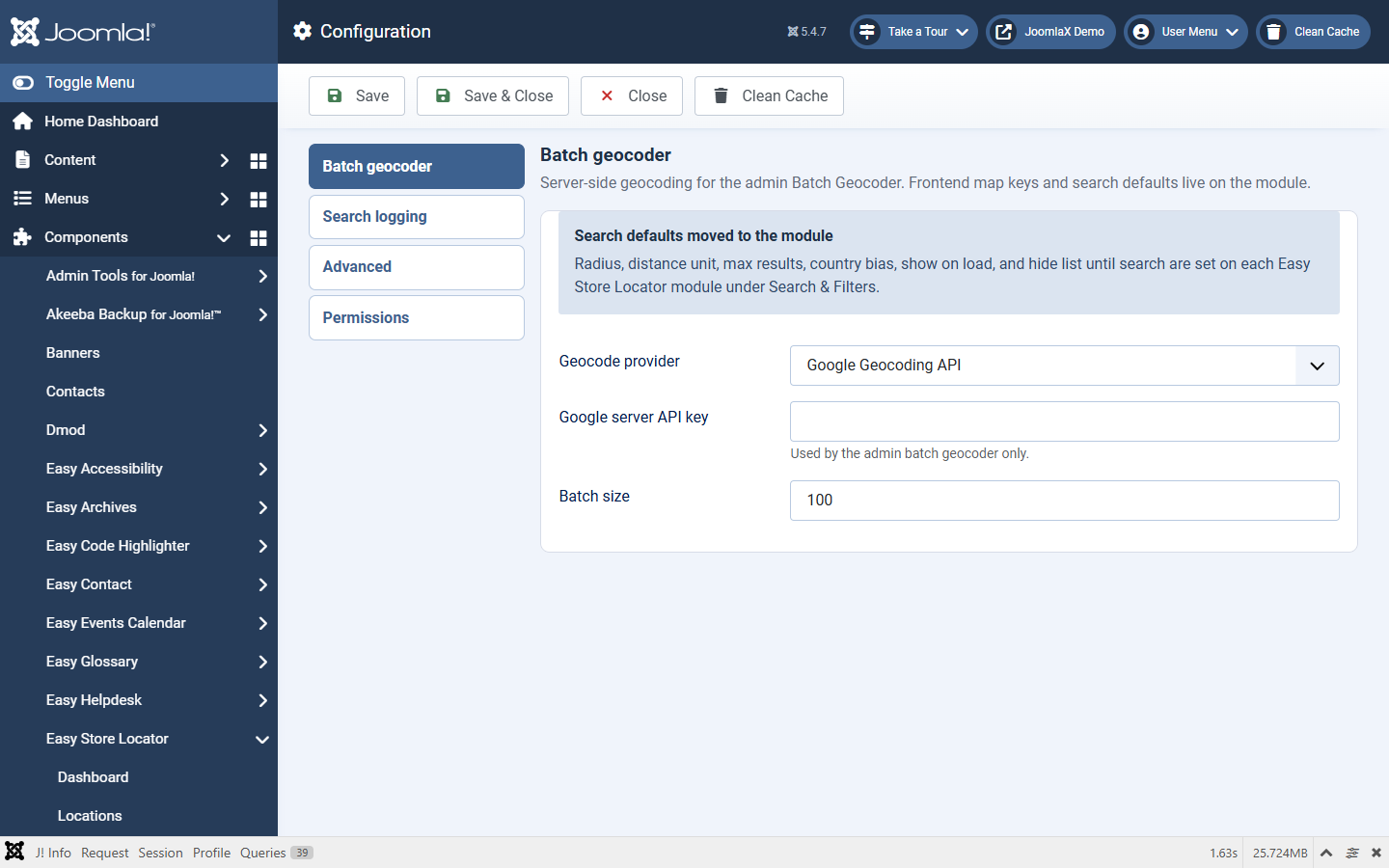
Open Components > Easy Store Locator > Configuration (also linked from the Dashboard).
This screen stores global component settings. Front-end search defaults (radius, units, country bias, show on load) live on each module under Search & Filters, not here.
Batch geocoder
- Geocode provider: Google Geocoding API or OpenStreetMap Nominatim.
- Google server API key: used only by the admin Batch Geocoder when provider is Google. Without this key (and Geocoding API enabled), Google batch geocoding will not fill coordinates.
- Batch size: how many addresses to process per run.
Search logging
- Enable search logging: global master switch. If Off, no queries are stored even when a module has Search logging On.
- Search limit per IP: 0 = disabled. When set, limits how many logged searches one IP can send in the period.
- Rate limit period (seconds): window for the IP limit.
Module Search logging must also be On for that module to send log requests.
Advanced
- Keep data on uninstall: when Yes, location, tag, and search-log tables stay if you uninstall the component.
Permissions
- Standard Joomla ACL for who can configure and manage the component.