Dashboard & Locations
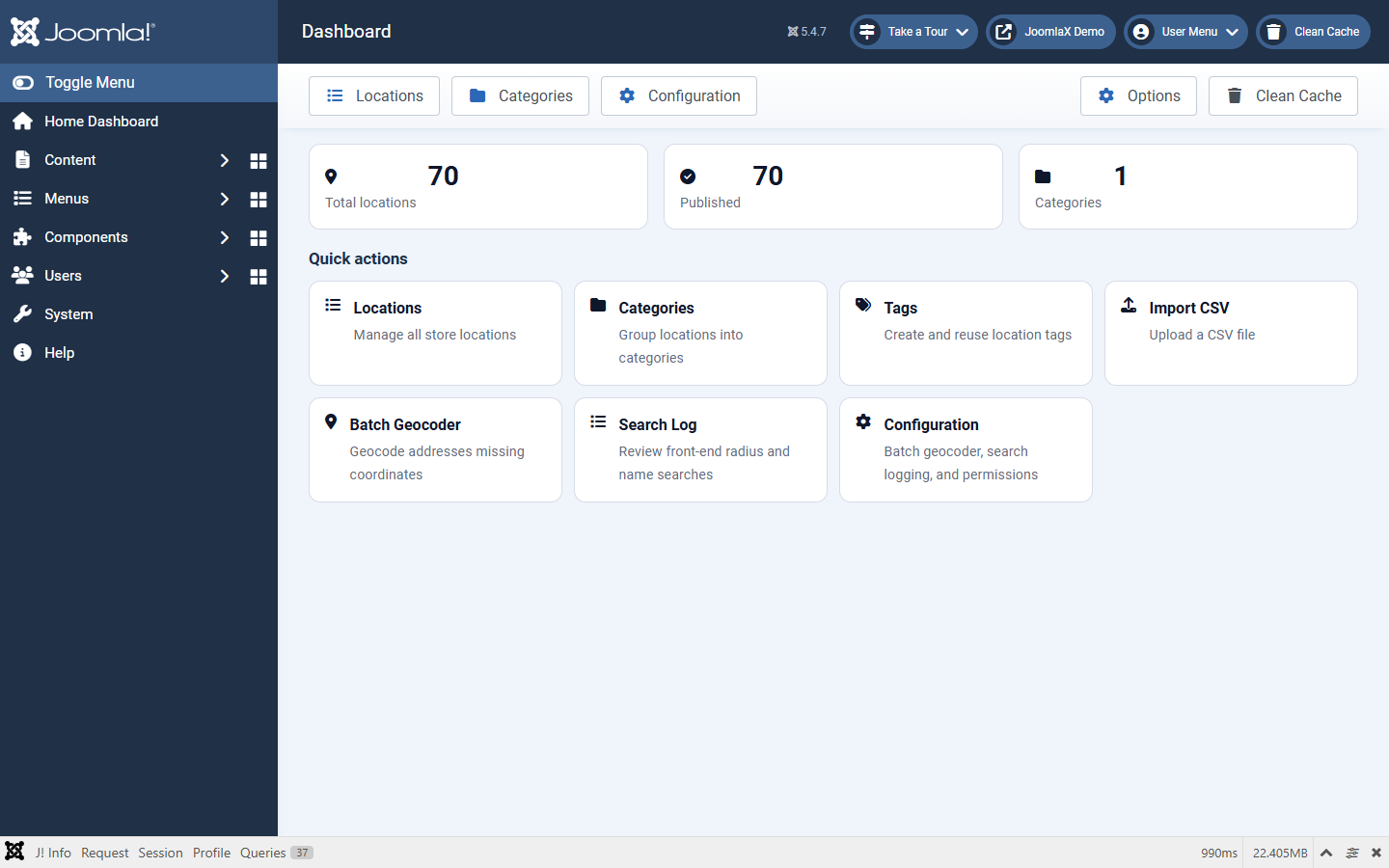
Dashboard
Open Components > Easy Store Locator. Counts and quick links to Locations, Categories, Tags, Import, Batch Geocoder, Search Log, and Configuration.
Locations
Open Locations to manage every store.
- Toolbar: New, Publish / Unpublish, Featured / Unfeatured, Duplicate, Delete, Import CSV, Export CSV
- Search matches title, address, phone, email, website, social, hours, description, tag, category, coordinates, and ID
- Filters: status, featured, category, tag, access
Edit location
- Store name (required)
- Category (component category) and Tag (dropdown of managed tags, or create new)
- Address, Phone, Email, Website, Facebook, Twitter / X, Hours, Description
- Latitude / Longitude: optional if Address is set. Leave empty and use Batch Geocoder, or use the map picker
- Sidebar: Status, Featured, Pin colour, Access, Publish dates, Ordering
Locations without coordinates do not appear on the map until geocoded.