Google vs OpenStreetMap
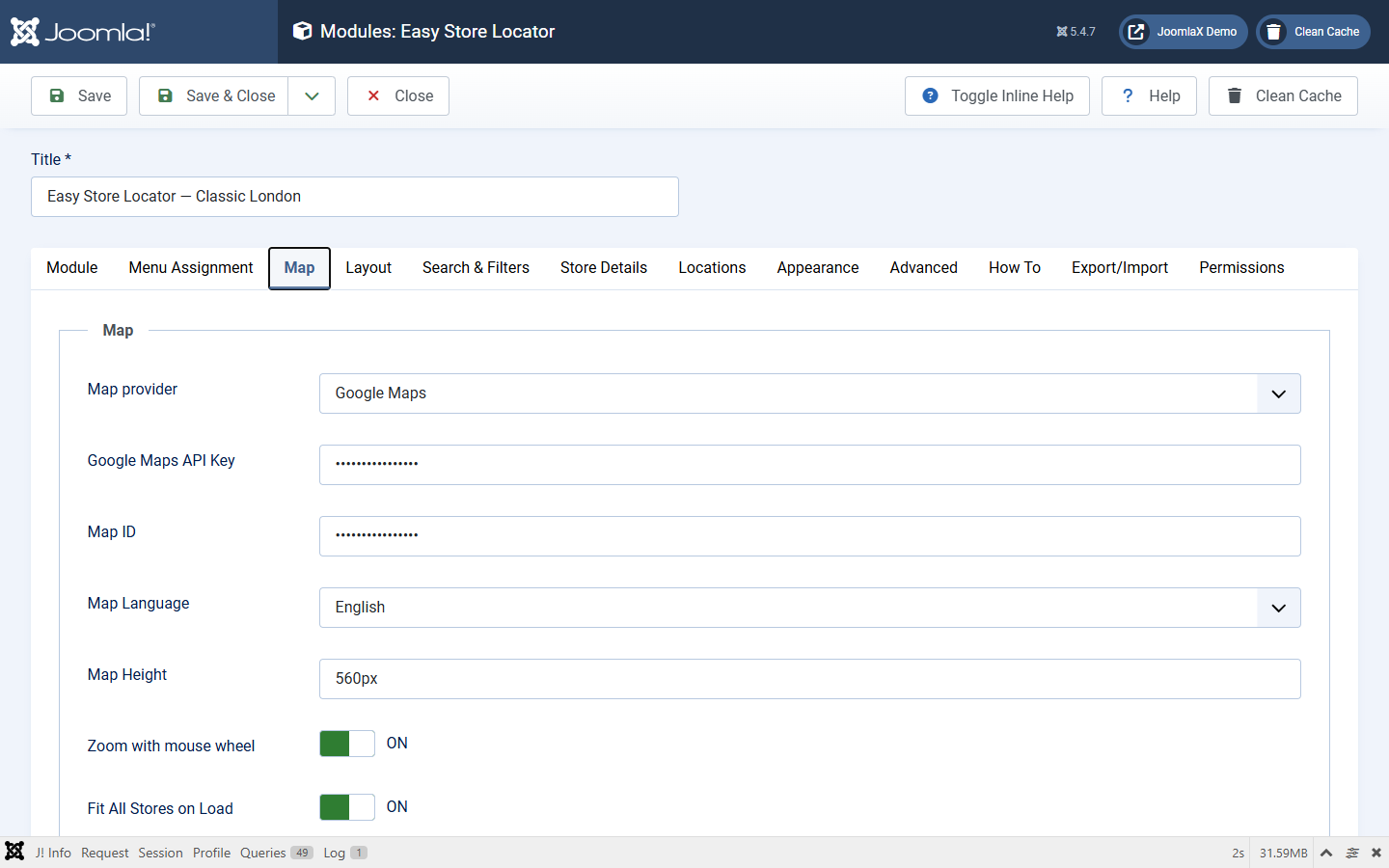
Set the provider on the module Map tab.
Quick comparison
- Cost: Google needs Cloud billing. OpenStreetMap has no Google bill, but heavy traffic may need your own tiles.
- Setup: Google needs key + Map ID + enabled APIs. OpenStreetMap works without a Google key.
- City / ZIP radius: both can do it when geocoding works (Google Geocoding API or Nominatim).
- Get Directions: always opens the public Google Maps website as a normal link. It does not use your Maps JavaScript API key.
Google strengths
- Familiar Google tiles and Advanced Markers
- Place suggestions when Places API is enabled
- Marker clustering when enabled in the module
Google limitations
- Billing required even for small sites
- Maps JavaScript API alone is not enough for city/ZIP search: you also need Geocoding API
- Place suggestions need Places API
- Wrong HTTP referrers cause a blank map
- Advanced Markers need a Map ID
OpenStreetMap strengths
- No Google key or Map ID
- Leaflet is bundled
- Good default when you want to avoid Google Maps Platform
OpenStreetMap limitations
- Public OSM tiles are for light use; high traffic should use a compliant tile provider
- Nominatim has fair-use and rate limits; do not hammer it for bulk geocoding
- Keep OSM attribution visible
- No Google-style map JSON themes or Map IDs
- No built-in OSM routing popup (Directions still opens Google Maps web)
- If the browser cannot reach tiles or Nominatim, the map or search can fail