Module: Map
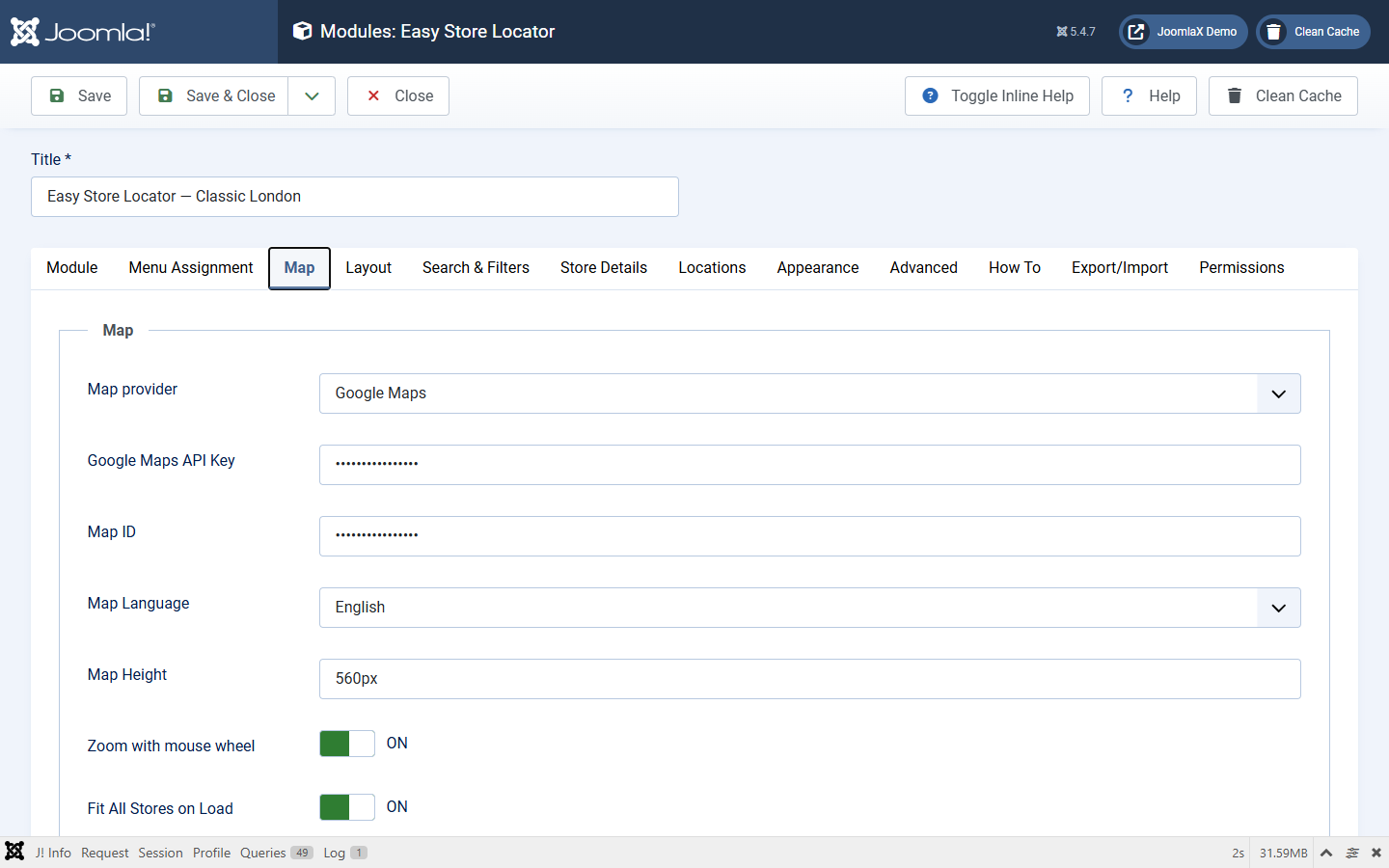
Edit the module under Content > Site Modules and open the Map tab.
- Map provider: Google Maps or OpenStreetMap. Wrong choice for your keys means a blank map or unused Google fields.
- Google Maps API Key: required for Google. Without it the module shows a missing-key message.
- Map ID: required for Google Advanced Markers. Use
DEMO_MAP_IDfor tests. - Map Language: Google map UI language.
- Map Height: desktop map height (example
560px). - Scroll zoom: allow mouse wheel zoom on the map.
- Fit All Stores on Load: auto-zoom to show every pin. When Off, use Zoom and optional initial lat/lng.
- Map type (Google): roadmap, satellite, terrain, hybrid.
- Map type / Fullscreen / Street View controls (Google): show or hide those map controls.
- Marker clustering: group nearby pins (Google and OpenStreetMap).
- Map style JSON (Google): optional styled map. Empty = default look.
If Google APIs are not enabled as described in Google API setup, the map, place suggestions, or radius geocoding will not work.