Galleries list
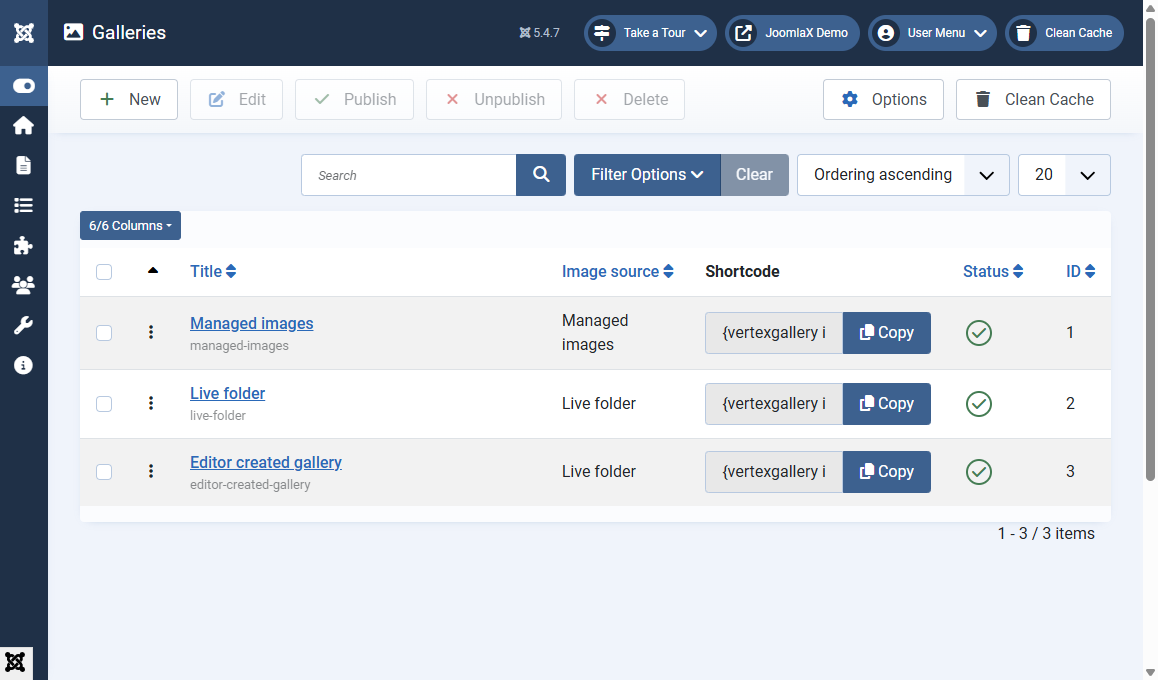
Open Components > Vertex Gallery. This list is your home screen.
Toolbar
- New: create a gallery
- Edit: open the selected gallery
- Publish / Unpublish: show or hide without deleting
- Delete: remove selected galleries (you will see a confirm message)
- Options: default for gallery menu items (show title)
- Clean Cache: if your admin bar includes it
What each column means
- Title: the name you typed, with the alias under it
- Image source: Managed images or Live folder
- Shortcode:
{vertexgallery id="X"}plus a Copy button - Status: green check means published
- ID: the number used in the shortcode
Search and filters
Use Search to find a title. Use ordering (title, ID, or ordering) and the per-page limit. This stays comfortable even if you have many galleries.
Student tip
Unpublish a gallery to hide it from the site without deleting the photos. Delete only when you are sure you will not need it again.