Live folder
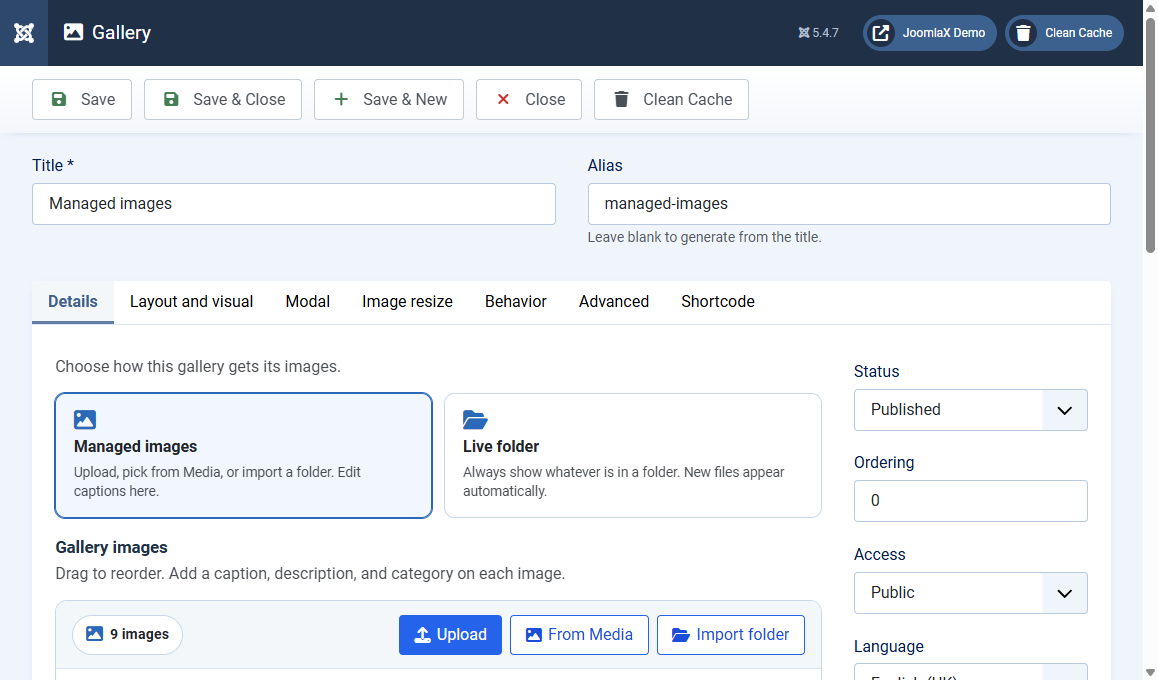
On the Details tab, click the Live folder card when you want the gallery to always match a folder on the site.
When to use it
- You upload new photos to the same folder often
- You do not need a custom caption on every photo
- Subfolders should become filter buttons
Settings
- Image folder path: relative to the Joomla root. Example:
images/gallery - Multiple folders:
images/gallery/Animals,images/gallery/Teams(each folder becomes a filter) - Custom labels:
images/gallery/Animals|Animals,images/gallery/Teams|Teams - Use subfolders as filters: each immediate subfolder becomes a category. Nested folders deeper than one level are not scanned
- Auto-generate titles from filenames: Yes turns
sunset-beach.jpginto a readable title
File types
Only jpg, jpeg, png, gif, and webp files are loaded.
Copy folder into Managed images
If you started with a live folder and later want captions and drag reorder, use Copy folder images into manager. The live folder files stay in place. The gallery then switches to Managed images.
Student tip
Create the folder in Content > Media first, upload a few test photos, then paste that path here. If the gallery is empty, the path is wrong or the folder has no supported images.