Lightbox on the site
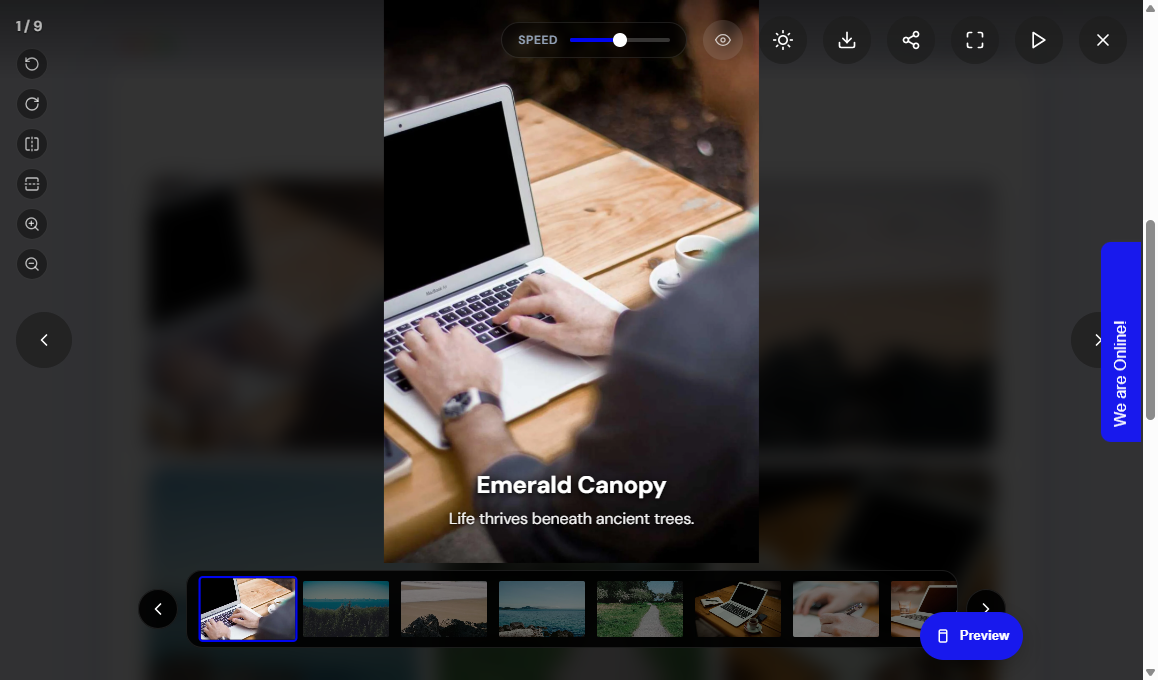
This is what visitors see after they click a photo (when Enable modal is Yes).
Typical controls
- 1 / 9: current photo out of the total
- Arrows: previous and next (or swipe on a phone)
- Thumbnail strip: jump to any photo
- Zoom, rotate, flip: inspect the photo
- Play and speed: slideshow
- Fullscreen: fill the screen
- Download / Share: only if you turned them on
- X or Escape: close
Captions
If Enable captions in modal is Yes, the photo title and description appear over the image.
Student tip
If the lightbox does not open, check Enable modal = Yes, Save the gallery, clear cache, then hard-refresh. On a phone, try a longer swipe if the threshold is high.