Menu item and front end
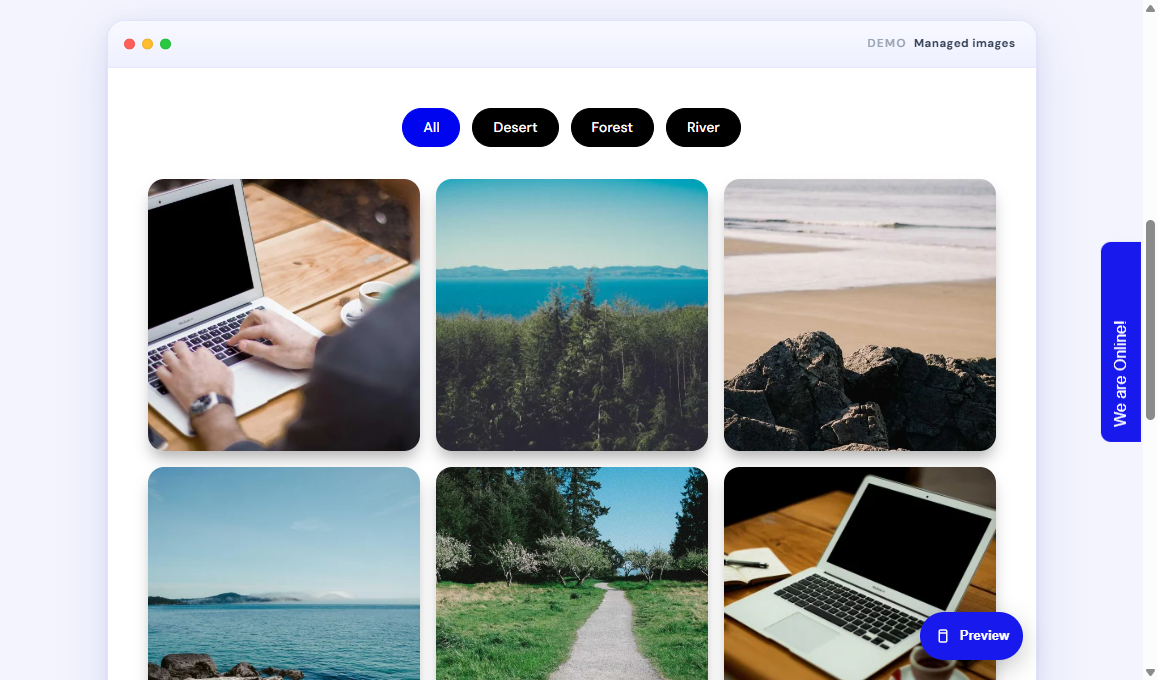
A menu item opens one published gallery as a full page.
Create the menu item
- Go to Menus > [Your menu] > Add New Menu Item.
- Menu Title: Gallery (or any name visitors should see).
- Click Select next to Menu Item Type.
- Choose Vertex Gallery > Vertex Gallery.
- Select the published gallery.
- Optional: Show gallery title = Yes, No, or Use Global.
- Publish, then Save.
What visitors see
- Optional gallery title heading
- Category filter buttons (All plus your categories) when filters are on
- Photo grid or masonry using your layout settings
- Captions on hover or always, if enabled
Click behaviour
- If Enable modal is Yes, a click opens the lightbox
- If Enable modal is No, photos stay as a static grid
- Filter buttons narrow the grid without leaving the page
Student tip
If the page is empty, the gallery is unpublished, the wrong gallery is selected on the menu item, or there are no images yet.