Dashboard
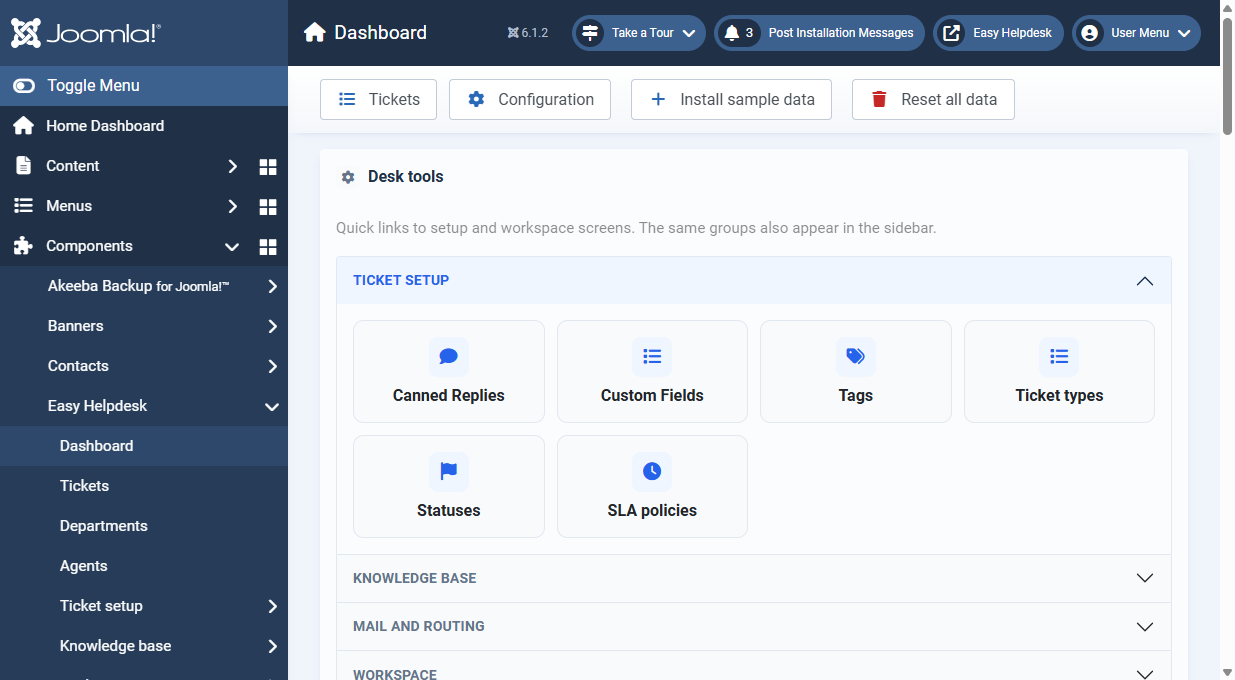
The dashboard is your morning overview. Cards link straight into filtered ticket lists.
Queue cards
- Active: open tickets across the desk
- Awaiting reply: customer is waiting on staff
- Unassigned: no owner yet
- Assigned to me: your personal queue
- High priority: high and urgent work
- Opened today: tickets created today
- Resolved and closed: finished work
List panels
- Waiting on staff: tickets needing a reply
- Nobody assigned: unassigned open tickets
- Latest activity: recent ticket movement
- Team workload: open tickets per agent
- Departments: ticket counts per department
- Knowledge base: published articles, categories, reads, featured count (when KB is enabled)
- Satisfaction: rating summary when customers have scored tickets
Desk tools accordion
Quick links to canned replies, custom fields, tags, mail rules, mailboxes, templates, and the other setup screens without hunting the sidebar.
Sample data toolbar
- Install sample data: adds packaged demo rows without deleting yours
- Reset all data: typed RESET confirmation; optional reseed afterwards
Tickets-only mode
When the knowledge base is switched off in Configuration, the dashboard shows path cards and how-support-works steps instead of KB panels.