Staff console guide
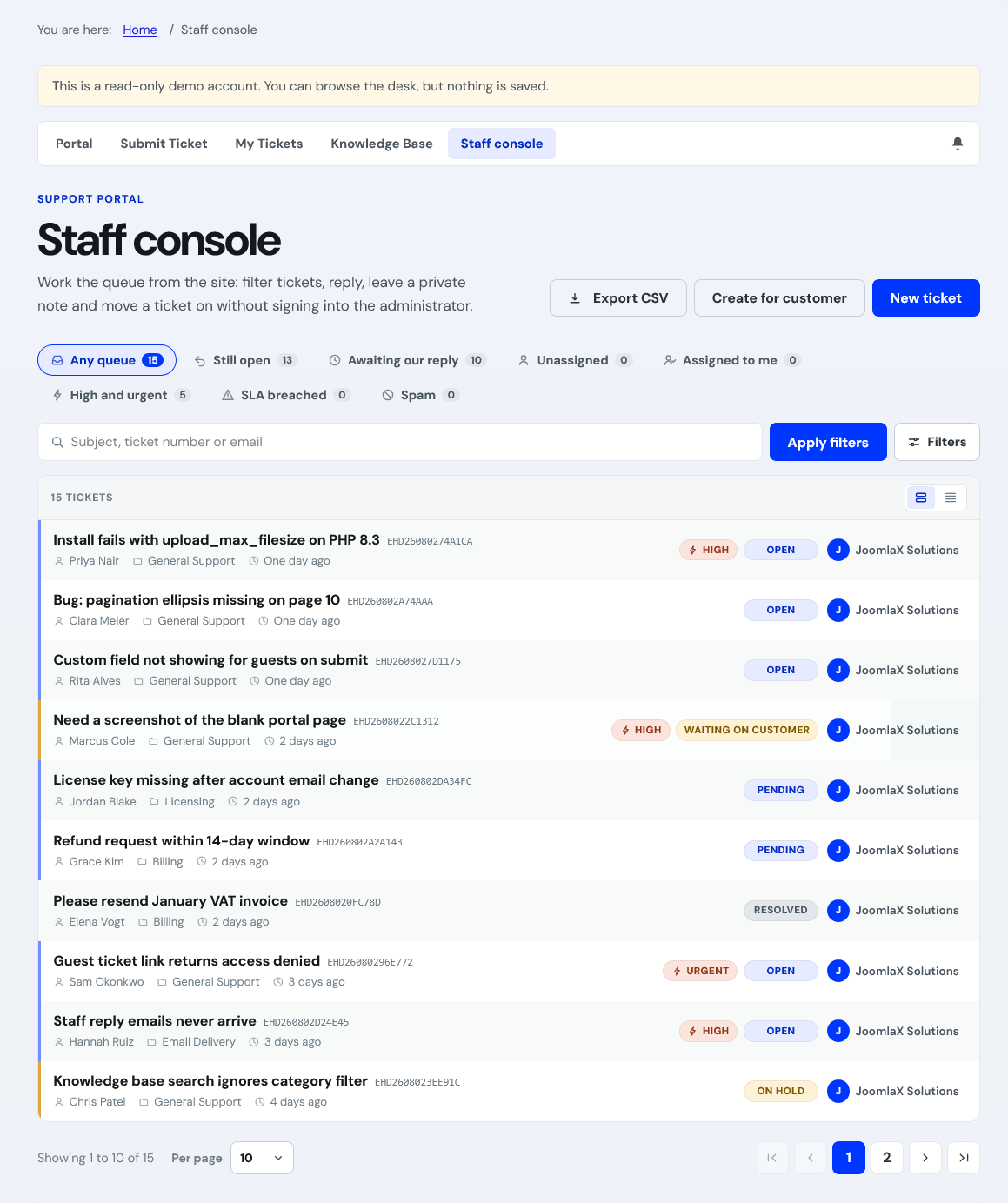
The staff console lets agents work tickets on the frontend without administrator login.
Queue tabs
Saved views with live counts: Any, Still open, Awaiting reply, Unassigned, Mine, High/urgent, SLA breached, Spam.
Filters and export
- Search subject, ticket number, or email
- Status, priority, department, assignee, tag, type, attachment filters
- CSV export of the current filtered queue
- Roomy or compact row spacing remembered per agent
Batch bar
Multi select tickets to change status, priority, department, owner, assign to me, or close selected.
Ticket screen
- Reply, private note, canned replies, attachments, notify customer toggle
- Status, priority, department, owner, tags, type, SLA clock
- Time log, KB suggestions, custom fields, history, activity, watchers (panel toggles in Configuration)
- Merge, split, spam, mark solved by article, create ticket on behalf of customer (phone intake)
Requires Agent permission, agent record, and a published Staff console menu item.