Working a ticket
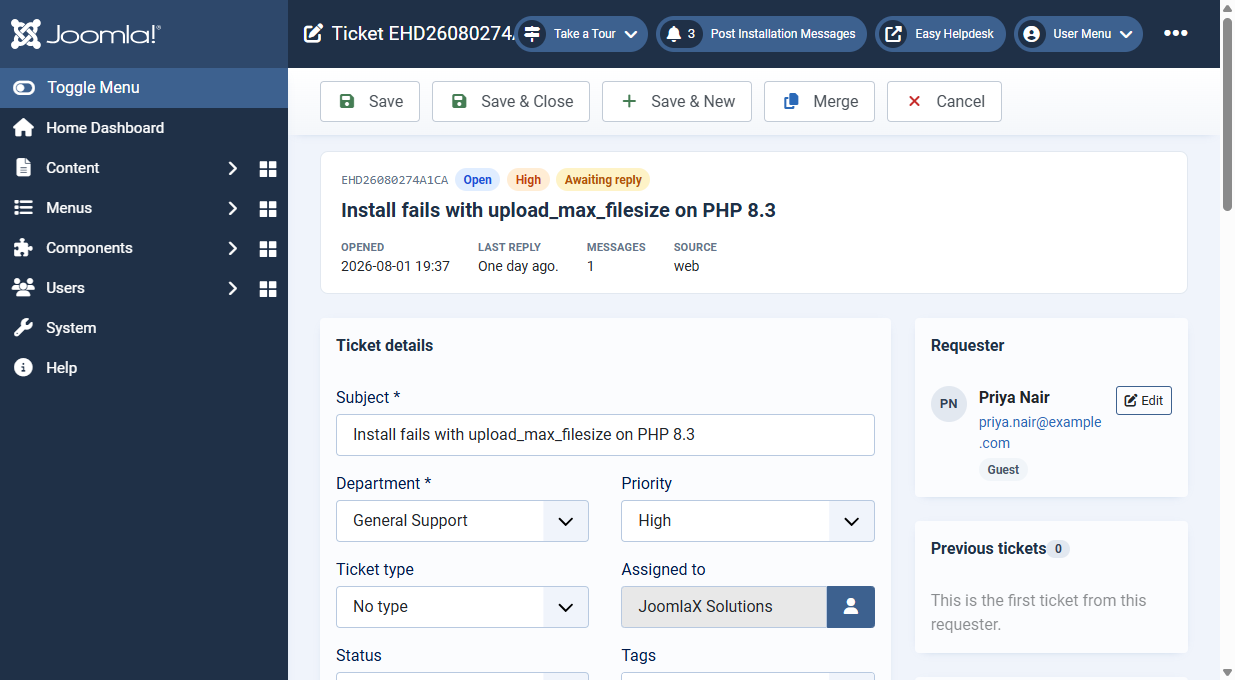
The ticket edit screen holds the conversation, requester details, assignment, SLA clocks, and advanced actions.
Conversation
- Public reply: rich text answer the customer receives when Notify customers is on and Email this reply is checked
- Private staff note: internal only, never emailed
- Canned replies: insert saved HTML and optional macro side effects
- Attachments: upload files with replies when attachments are enabled. Image files show thumbnails in the timeline with a lightbox viewer and download link (same pattern as the portal)
Ticket fields
- Status, priority, department, assignee, type, and tags
- Requester name and email (editable with Requester permission)
- Custom field answers shown on the ticket
Side panels
- Previous tickets: earlier tickets from the same email
- Activity trail: status, owner, priority, and requester changes
- Watchers: CC emails copied on public replies
- Time log: minutes and notes with running total
- SLA: first response and resolve clocks with breach state
Advanced actions
- Merge: fold this ticket into another; messages and attachments move across
- Split: lift one message into a new ticket (when Allow splitting messages is on)
- Mark spam: closes ticket and can blocklist the requester email
Checkout
Joomla checkout prevents two editors overwriting the same ticket. Save or cancel to release the lock. Read-only demo accounts can open tickets without checking them out.