Email templates and notifications
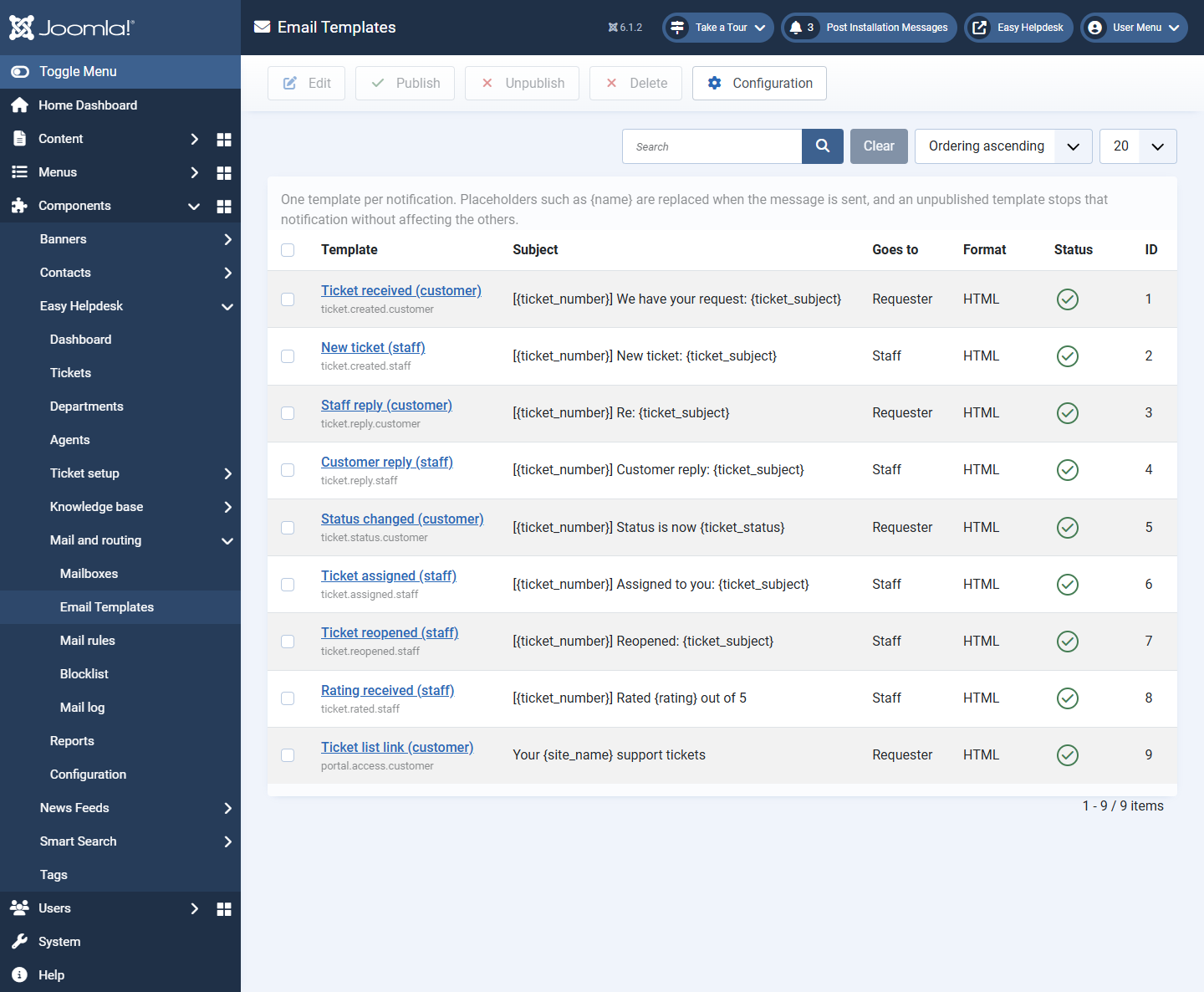
Each notification moment has one editable template. Unpublish a template to silence that event without affecting others.
Nine events
- ticket.created.customer: ticket opened, to requester
- ticket.created.staff: ticket opened, to staff
- ticket.reply.customer: staff reply, to requester
- ticket.reply.staff: customer reply, to staff
- ticket.status.customer: status change, to requester
- ticket.assigned.staff: assignment, to new owner
- ticket.reopened.staff: reopen, to staff
- ticket.rated.staff: rating, to staff
- portal.access.customer: passwordless My Tickets link, to requester
Template fields
- Event (one template per event; New is hidden when all events exist)
- Subject and body with placeholders
- Format: HTML or plain text
- Published switch
Common placeholders
{name}, {email}, {ticket_number}, {ticket_subject}, {ticket_url}, {staff_url}, {portal_url}, {message}, {signature}, and others listed on the template edit screen.
Global notification options (Configuration)
- Notify customers and Notify staff master switches
- HTML mail, auto reply on new tickets, from name and email
- Global CC and BCC on every notification
- Header colour, header content (text, logo, or both), header text, logo, and signature (
{signature}in templates) - Attachment download links in email via
{attachments}when enabled - Rating invite note for resolved/closed templates via
{rating_invite}
Test send
Send test from the template editor uses sample ticket values including unsaved changes on screen.